Models and providers
Pick the AI model for your project. Use the built-in Lyna models, or connect your own Claude, ChatGPT or Kimi Code account or API key.
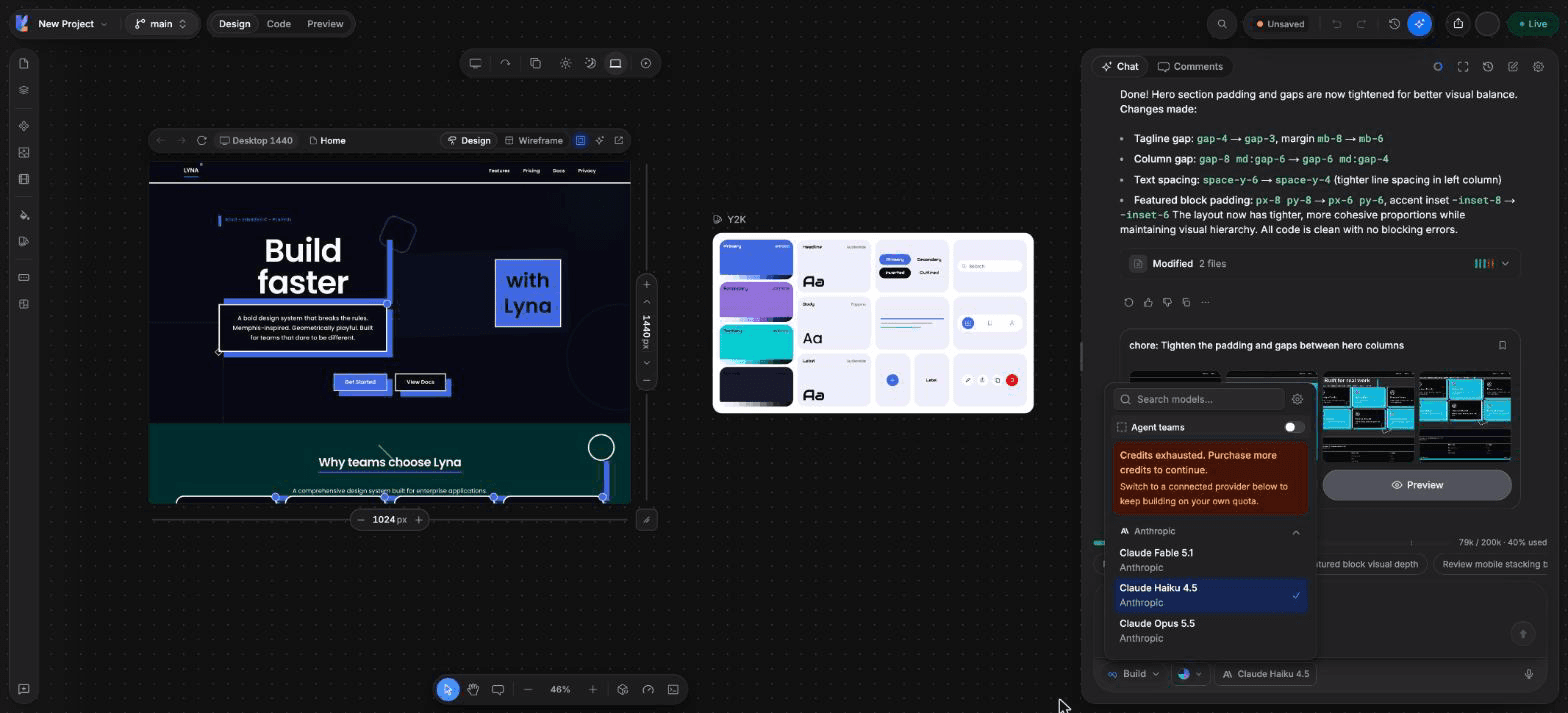
The model picker in the composer sets which model answers in this project. Lyna models are built in. Other models appear once you connect a provider.
Lyna models (built in)
| Model | Best for | Multiplier | Plan |
|---|---|---|---|
| Lyna Free | Everyday edits and quick answers. Fast and efficient. | 1x | Free and Pro |
| Lyna Pro | Reasoning with strong coding for multi-step work. | 2x | Pro |
| Lyna Max | Large projects, tool use and long, multi-step work. | 3x | Pro |
Lyna models use your daily chats on Free and your credits on Pro. All three accept images. See Credits per turn.
Providers you can connect
| Provider | How to connect | Models |
|---|---|---|
| Anthropic (Recommended) | Sign in with Claude Pro/Max, or add an API key | Claude Opus 5.5, Claude Sonnet 5.5, Claude Haiku 4.5. Claude Fable 5.1 with a Claude Pro/Max sign-in only. Claude Sonnet 5 stays available with an API key. |
| OpenAI | Sign in with ChatGPT Pro/Plus, or add an API key | GPT-6.1 Sol, GPT-6 Astra, GPT-5.6 Sol, GPT-5.6 Terra, GPT-5.6 Luna, GPT-5.5 |
| Moonshot AI | Sign in with Kimi Code | Kimi K3 |
Models from a connected provider run on your own subscription or API key. They do not use Lyna credits.
Connect a provider
Open Providers
Open Settings > AI > Models and choose the Providers tab. You can also choose Manage Models in the model picker.
Choose Connect
Under Popular Providers, choose Connect next to the provider.
Pick a method and finish
- Claude Pro/Max: open the sign-in page, authorize, then paste the code you receive.
- ChatGPT Pro/Plus and Kimi Code: Lyna shows a code. Enter it on the page it links to. The dialog updates when you are done.
- API key: paste your key and save.
The provider moves to Connected Providers, with a tag that shows how it is connected.
Choose a model
Open the model picker in the composer and pick a model. Use Search models... to filter. The choice is saved for the project.
To hide models you never use, open Settings > AI > Models > Models and switch them off.
Out of Lyna credits?
When your credits run out, the picker says so and suggests switching to a connected provider to keep building on your own quota.
Disconnect
In Settings > AI > Models > Providers, choose Disconnect next to the provider. If a sign-in expires, the provider shows Reconnect.
Plan availability
| Free | Pro | |
|---|---|---|
| Lyna Free | Yes | Yes |
| Lyna Pro, Lyna Max | Locked | Yes |
| Connected providers | Yes | Yes |
FAQ
Which model should I start with? Start with Lyna Free for small edits. Use Lyna Pro or Lyna Max, or a connected Claude or GPT model, for larger features.
Why is a model missing from the picker? It may be hidden in Settings > AI > Models, locked by your plan, or it needs a provider connection. Claude Fable 5.1 appears only with a Claude Pro/Max sign-in.