Rules
Write always-on instructions the AI follows in your project, and scope rules to the files they apply to.
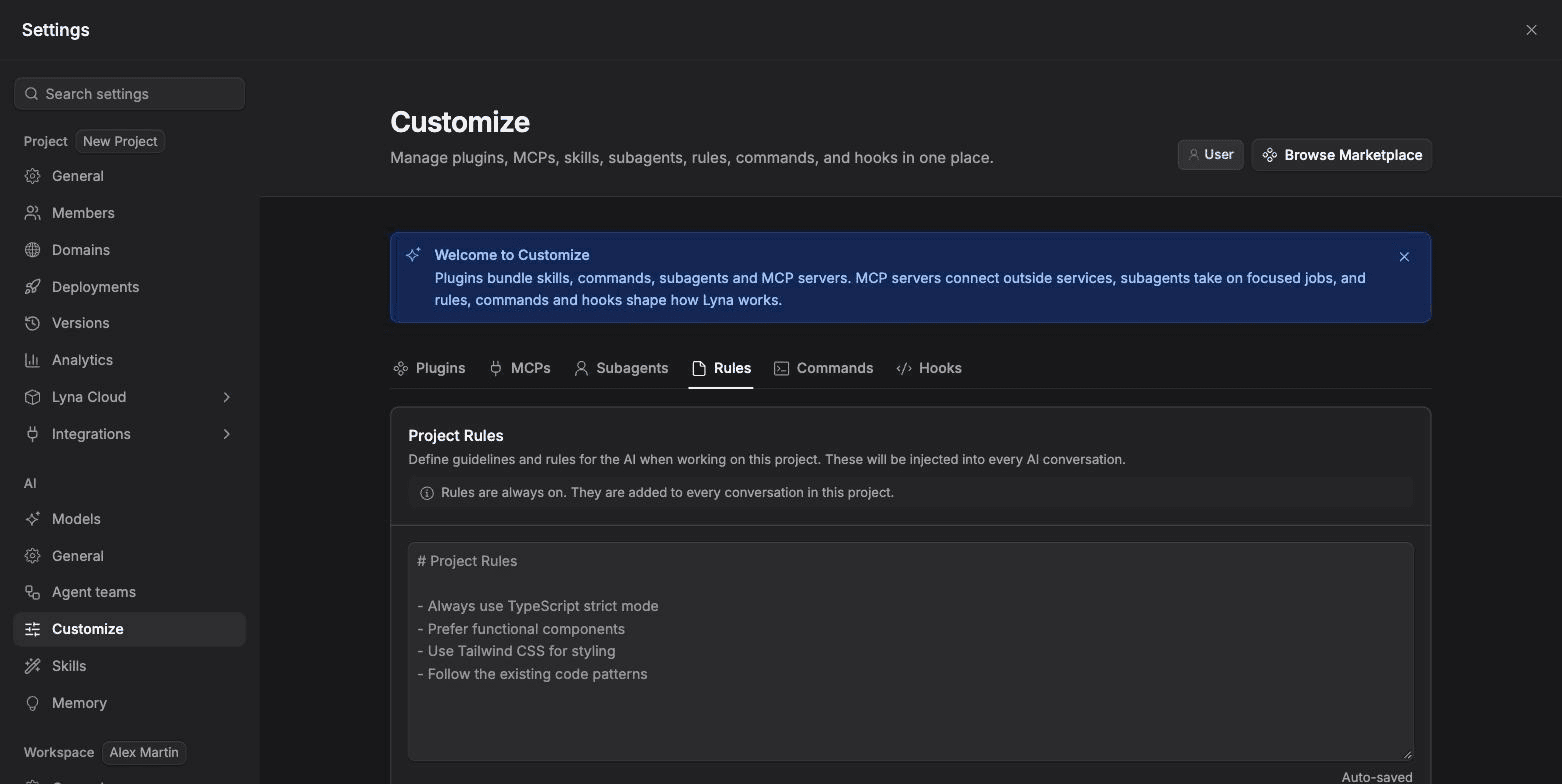
Rules are markdown files in your project that tell the AI how to work. They are added to every conversation in the project.
What you can do
- Write project rules that apply to every task.
- Add rule files for topics, and limit them to some files with a path pattern.
- Share content between rule files with an include line.
Where rules live
| File | When it applies |
|---|---|
.lyna_ai/rules.md | Every turn, in every conversation. |
.lyna_ai/rules/<name>.md | Every turn, or only when matching files are involved if it has a paths pattern. |
Write project rules
Open Rules
Open Settings > AI > Customize and pick the Rules chip. You can also type /rules in the chat.
Edit Project Rules
Type your rules in Project Rules. They are saved automatically (Auto-saved).
# Project rules

- Style with Tailwind CSS utility classes. Do not add CSS files.
- Use TypeScript. Never use the any type.
- Keep components small. Prefer function components and hooks.
Add rule files (optional)
Under Rule Files, choose Add Rule File, enter a name and create it. Edit or delete files from the same list.
Scope a rule to some files
Add a paths block at the top of a rule file. The rule then applies only when a matching file is in play.
---
paths: src/routes/**, src/components/**/*.tsx
---

# Routing conventions

- Load page data in the route's loader, not in an effect.
- Read route data with useLoaderData.
A rule file without paths applies everywhere.
Share content between rules
Inside a rule file, include another text file:
@include ./shared/naming.mdIncludes are relative to the rule file and can nest up to five levels.
Rules are always on
Rules are added to every conversation, so keep them short. Put deep, task-specific guidance in a skill instead: it loads only when needed.
Tips
- Write each rule as a short, testable order.
- Keep universal rules in
rules.mdand situational ones in scoped files. - Ask the AI to write a rule for you with
/newrule.