Welcome to Lyna
Lyna is an AI app builder in your browser. You describe what you want, then shape it with a chat, a live canvas and a real code editor.
Lyna turns an idea into a working web app. You write what you want in the chat, see it run on a live canvas, and change any part by hand or with the AI.
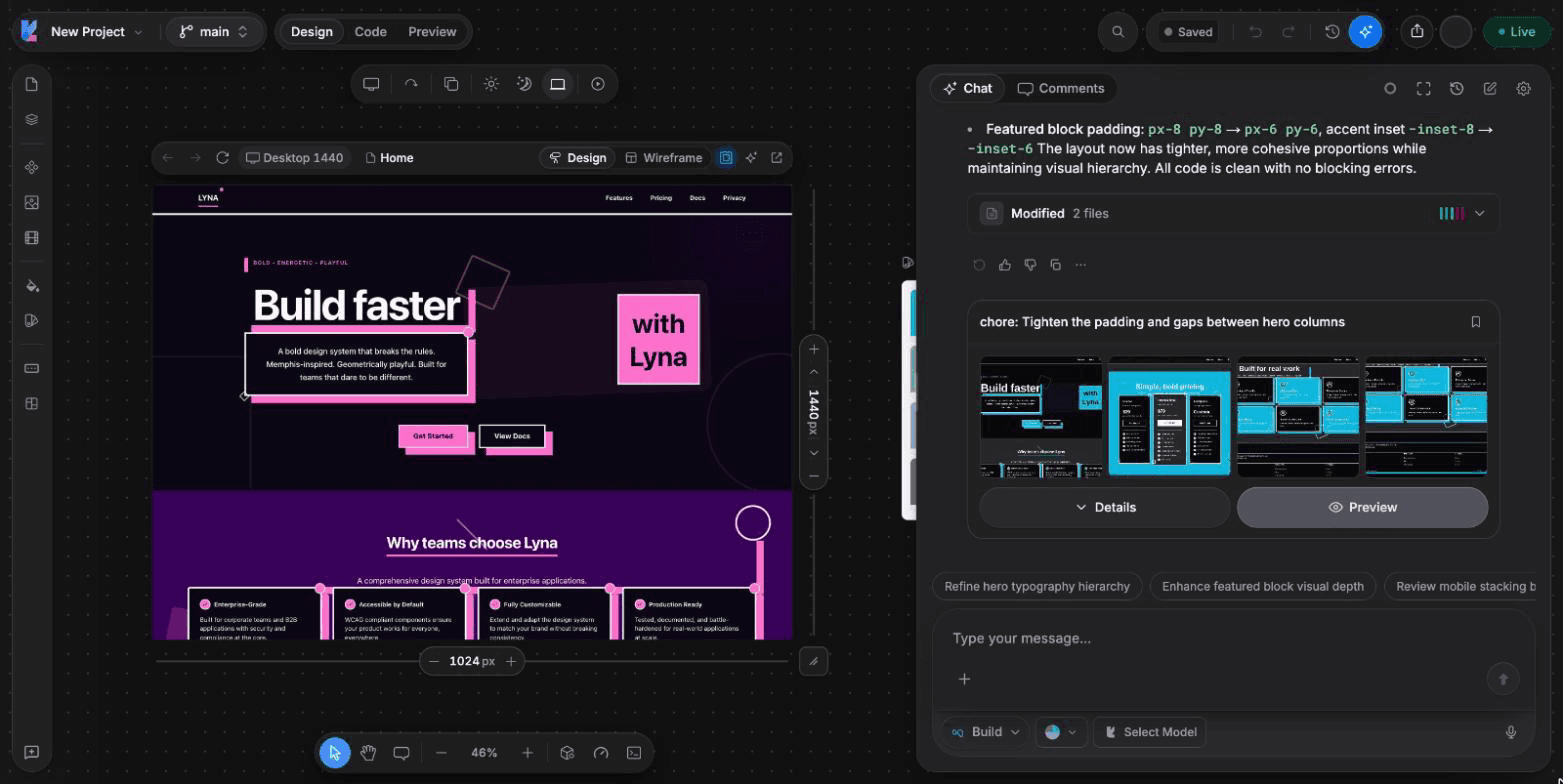
What Lyna is
Every Lyna project is a real app that runs in a cloud sandbox. The sandbox runs a standard React app with TypeScript and Tailwind CSS 4. The AI reads and edits this code for you. You can also open the code yourself, commit it with Git, push it to GitHub and publish it on the web.
You work in three views of the same project:
- Design: a live canvas where you select elements, change styles and move things around.
- Code: a code editor with a file explorer, search, source control and a terminal.
- Preview: your app running full size, so you can click through it like a visitor.
The chat is always next to you. It can build features, answer questions, plan larger changes and fix errors.
Who Lyna is for
- Founders and makers who want a real product without setting up a stack.
- Designers who want to design on the real thing, not a static mockup.
- Product managers who want a working prototype to test an idea.
- Developers who want the AI to handle the scaffolding while they keep full control of the code.
What you can build
- Marketing sites and landing pages
- Portfolios and personal sites
- Internal tools and dashboards
- Apps with sign in, a database and file storage through Lyna Cloud
- Online shops, with payments through your own Stripe account or a connected Shopify store
How it fits together
- Start a project. Describe your idea, start from a blank project, remix a template or import frames from Figma.
- Build with AI. Ask for features in the chat. Pick a chat mode (Build, Plan or Ask) and a model.
- Refine. Edit visually on the canvas, or open the code.
- Add a backend. Turn on Lyna Cloud for a database, users, storage and secrets.
- Publish. Put your app online on a Lyna address or your own domain.
You own your code
Your project is standard code in a Git repository. You can download it or push it to GitHub at any time.