Plans and credits
What the Free and Pro plans include, how AI credits work and what happens when you reach a limit.
Lyna has a free plan to get started and a Pro plan for serious building. AI usage on Lyna models is counted in daily chats on Free and in credits on Pro.
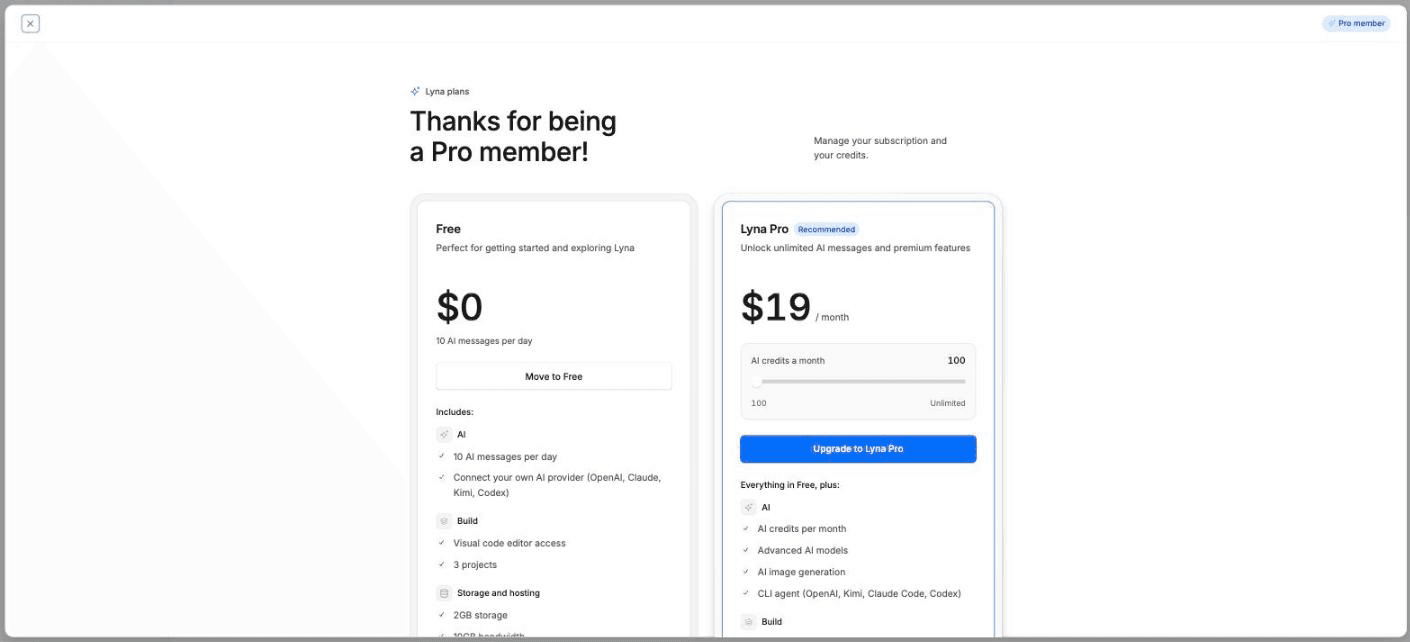
Plans you can choose today
| Plan | Status |
|---|---|
| Free | Available |
| Pro | Available |
| Team | Coming soon |
| Enterprise | Coming soon |
Prices are shown in US dollars on the pricing page and in the plans dialog. Pro is billed monthly or yearly, and you choose how many Credits a month you want. You can change or cancel your plan at any time. Payment goes through a secure checkout.
What each plan includes
| Free | Pro | |
|---|---|---|
| Projects | 3 | 25 |
| Storage | 2 GB | 50 GB |
| Bandwidth included each month | 10 GB | 250 GB |
| Published sites | 1 | 10 |
| Size of a published site | 10 MB | 100 MB |
| Custom domains | No | Yes |
| Team members | None | 3 |
| Lyna models | Lyna Free | Lyna Free, Lyna Pro, Lyna Max |
| AI allowance | Daily chats | Monthly credits |
| Hide the builder badge on your site | No | Yes |
Need more storage or bandwidth?
On a paid plan you can add storage and bandwidth in blocks of 100 GB, billed monthly. Open Settings > Account > Subscription and usage.
How AI usage is counted
- Free plan: you get a number of AI chats each day on Lyna Free. The count resets every day.
- Pro plan: each AI turn on a Lyna model uses credits. The cost depends on how much text the model reads and writes, and on the model tier. Lyna Free costs the least, Lyna Pro more, Lyna Max the most. The model picker shows each tier's multiplier (1x, 2x, 3x).
- Your own provider: when you connect your own Claude, ChatGPT or Kimi Code account, or an API key, turns on those models use your provider quota. They do not use Lyna credits.
See Credits per turn for details.
Check your usage
- On the projects page, the sidebar shows your Credits, Storage and Bandwidth.
- The account menu shows Chats today on Free and Credits this month on Pro.
- Settings > Account > Subscription and usage shows your plan, billing, invoices and usage.
When you reach a limit
| Limit | What you see | What to do |
|---|---|---|
| Daily chats (Free) | Daily message limit reached. Upgrade to Pro for more. | Wait for the next day, upgrade, or use a connected provider. |
| Monthly credits (Pro) | Monthly limit reached. Credits will reset next billing cycle. | Get more credits or use a connected provider. |
| Storage full | Storage full. Code changes won't be saved. | Free up space or add storage. |
Keep building on your own quota
If your Lyna credits run out, switch the model picker to a connected provider. Connect one in Settings > AI > Models > Providers.