Integrations
Connect Lyna to Shopify, Stripe, GitHub, Figma, AI providers and MCP servers, and see the services built into every project.
Integrations connect your project to the services you already use. Open Settings > Integrations > Connectors to see them in one place.
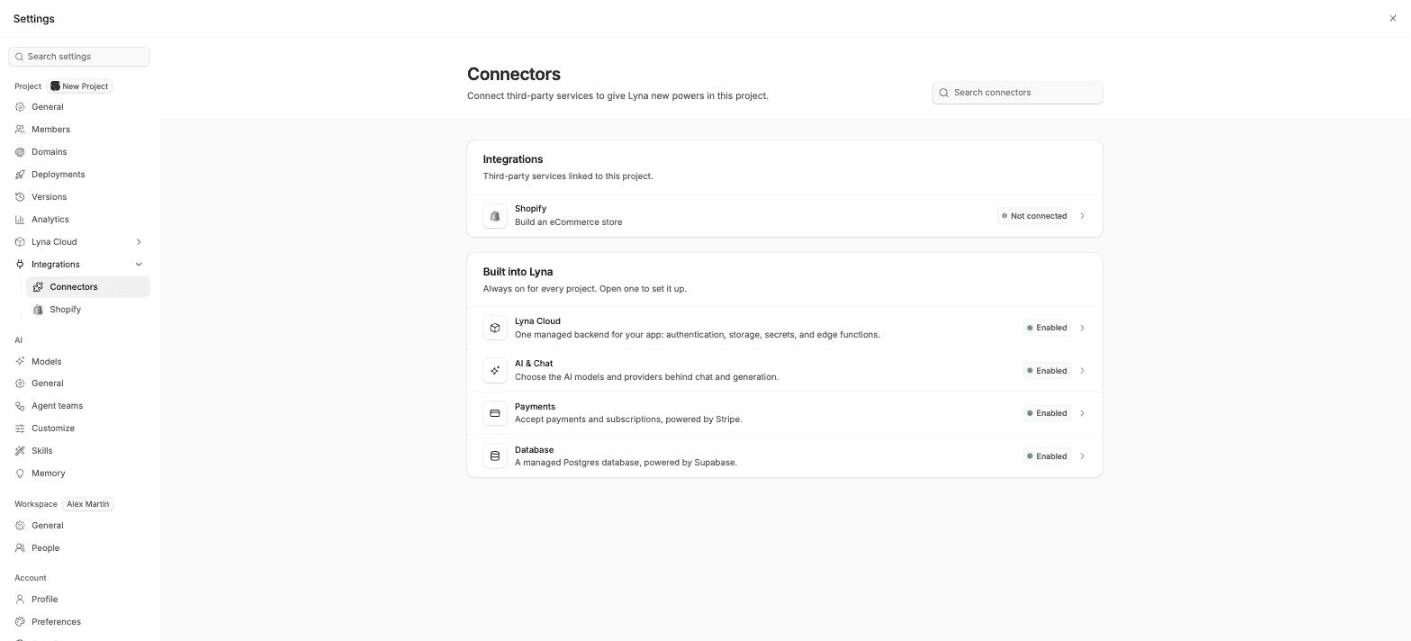
The Connectors page
The page has two groups:
- Integrations: third-party services linked to this project. Today this is Shopify, with its status: Connected or Not connected.
- Built into Lyna: services every project has. Open one to set it up.
- Lyna Cloud: authentication, storage, secrets and edge functions.
- Database: a managed SQL database.
- Payments: payments and subscriptions through your own Stripe account.
- AI & Chat: the models and providers behind the chat.
Use Search connectors to find one by name.
All integrations
| Integration | What it does | Where you set it up |
|---|---|---|
| Shopify | Build a storefront for your store, and let the AI manage products, collections and discounts. | Settings > Integrations > Shopify |
| Stripe | Take payments in your app. | Settings > Lyna Cloud > Payments |
| GitHub | Push your code to a repository, pull changes, open pull requests. | The Source Control panel |
| Figma | Import frames and images from your Figma files. | Projects page, chat and Images panel |
| AI providers | Use your own Claude, ChatGPT or Kimi Code account, or an API key. | Settings > AI > Models > Providers |
| MCP servers | Give the AI tools from outside services. | Settings > AI > Customize |
| Lyna Cloud | Database, sign-in, storage, secrets and functions. | Settings > Lyna Cloud |