Stripe
Take payments in the app you build, through your own Stripe account.
Connect your own Stripe account to take payments in the apps you build. Payments go straight to your Stripe account, with your own keys.
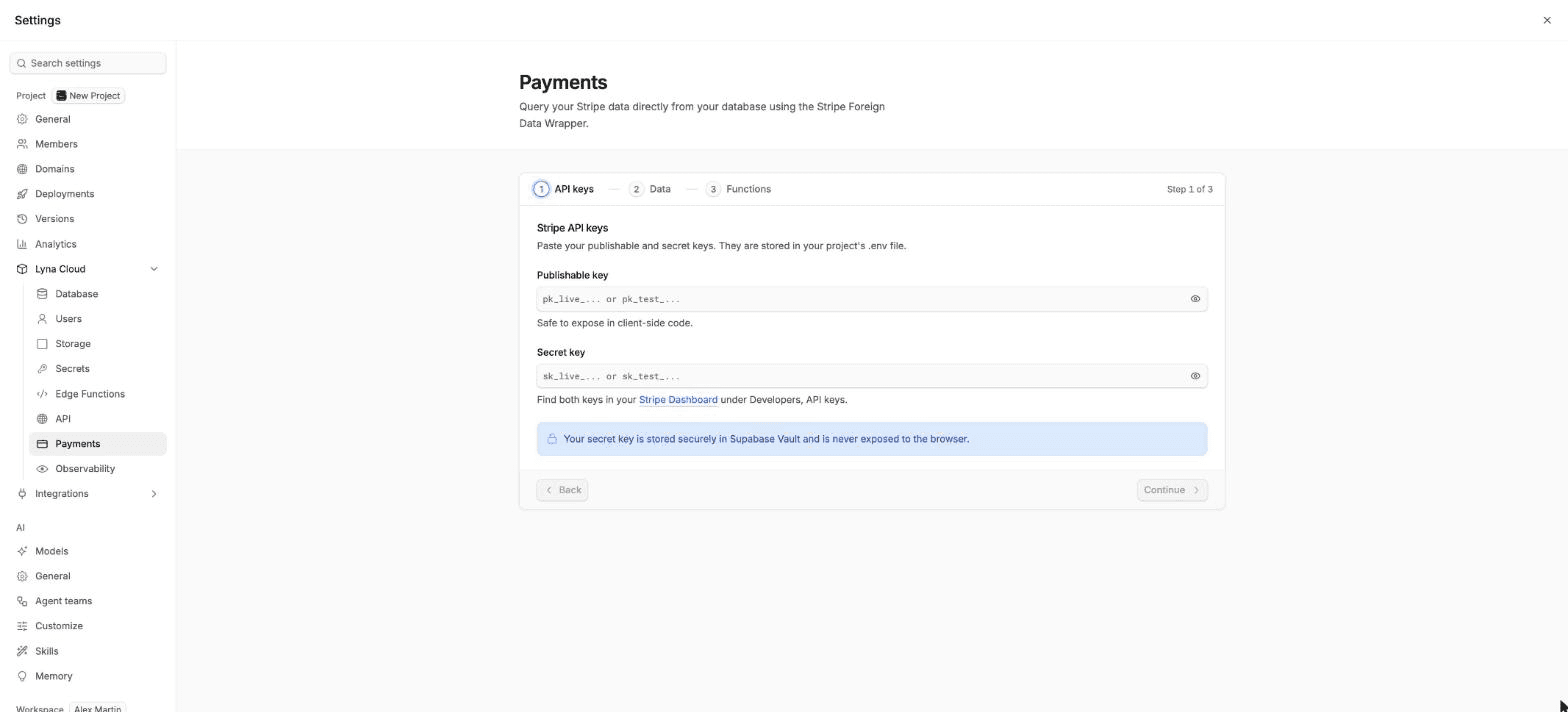
Take payments in your app
Your app takes payments through your own Stripe account.
Add a database
Payments run on your project backend. Set up a database first. See Lyna Cloud.
Connect Stripe
Open Settings > Lyna Cloud > Payments and choose Configure integration. Paste your Stripe publishable and secret keys, review the Stripe data, and pick the edge functions to deploy: Checkout session, Payment intent, Subscription manager, Customer portal and Webhook handler. See Payments.
Build the flow
Ask the AI, for example: "Add a pricing page with a Buy button that opens Stripe Checkout through the checkout-session function, and a thank-you page after payment."
Test, then go live
Build with your test keys and Stripe's test cards. When everything works, replace them with your live keys and publish.
Keep the secret key on the server
Your Stripe secret key must never be in your app's code. The edge functions read it on the server. See Secrets.
Query your Stripe data
After setup, customers, products, prices, subscriptions, invoices, payment intents, charges, balance and events are tables in the stripe schema. Query them on the Query tab of Payments, or join them with your own tables in the SQL editor.
Webhooks
To react to payments (for example, to unlock a feature after a subscription starts), deploy the Webhook handler function. Create a webhook endpoint in your Stripe Dashboard that points to the function's invoke URL, and paste its signing secret in the setup.
Your Lyna plan
Your Lyna plan is billed separately, through a secure checkout. Upgrade, change or cancel your plan, and update your card or download invoices, in Settings > Account > Subscription and usage. See Subscription and usage.
Next steps
GitHub
Install the Lyna GitHub App, link or create a repository, push and pull your project, and work with pull requests, issues and workflow runs from the editor.
Figma
Connect your Figma account and bring frames and images from your Figma files into a new project, into the chat, or into your project's images.