Account
Subscription and usage
See your plan, upgrade or change it, cancel or reactivate it, add storage and bandwidth blocks, and manage your payment method and invoices.
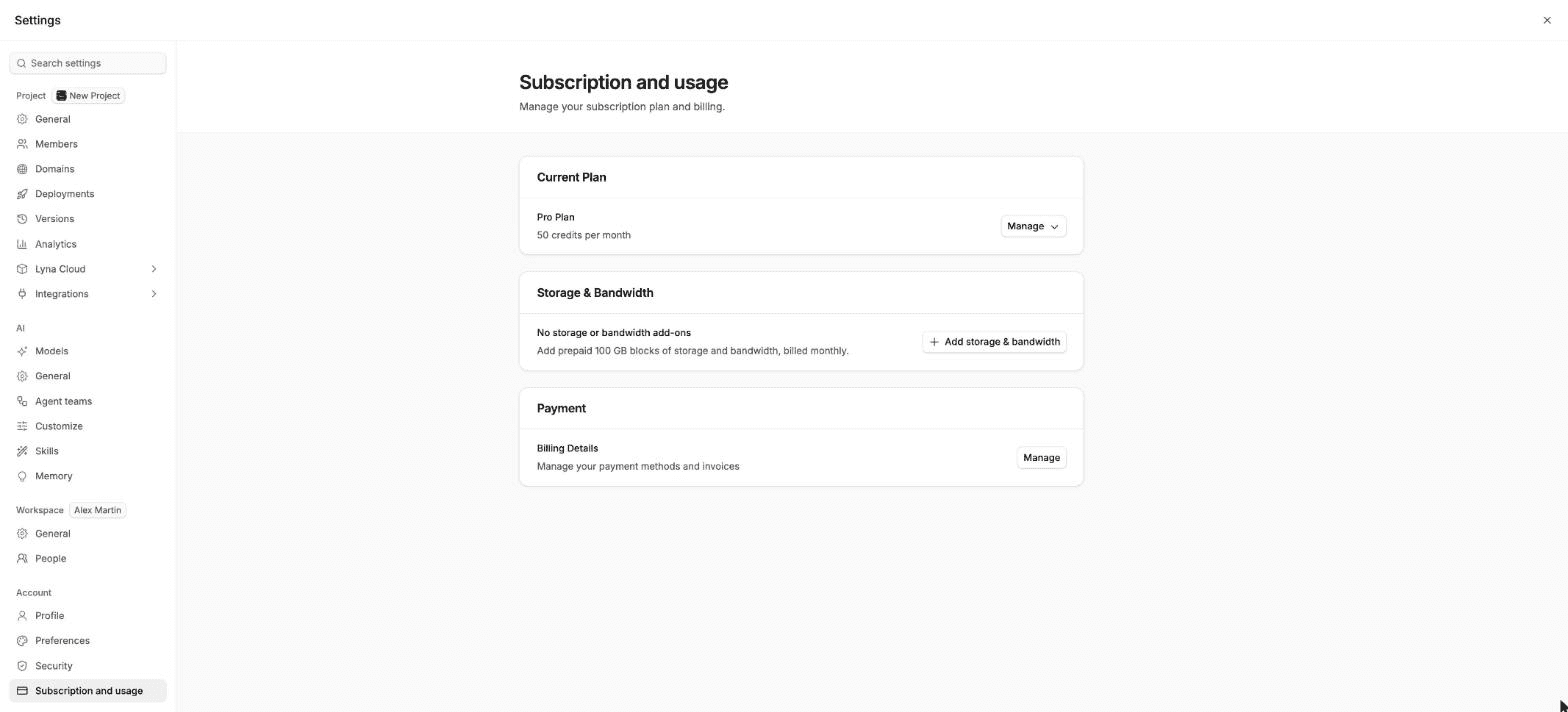
Manage your plan and billing in Settings > Account > Subscription and usage. Payments go through a secure checkout.
What you can do
- See your current plan and your monthly credits.
- Upgrade to Pro or change your plan.
- Cancel your subscription, or reactivate it before it ends.
- Add, change or cancel storage and bandwidth blocks.
- Update your payment method and download invoices.
Current Plan
The first row shows Free Plan or Pro Plan and, on Pro, your credits per month. Open Manage:
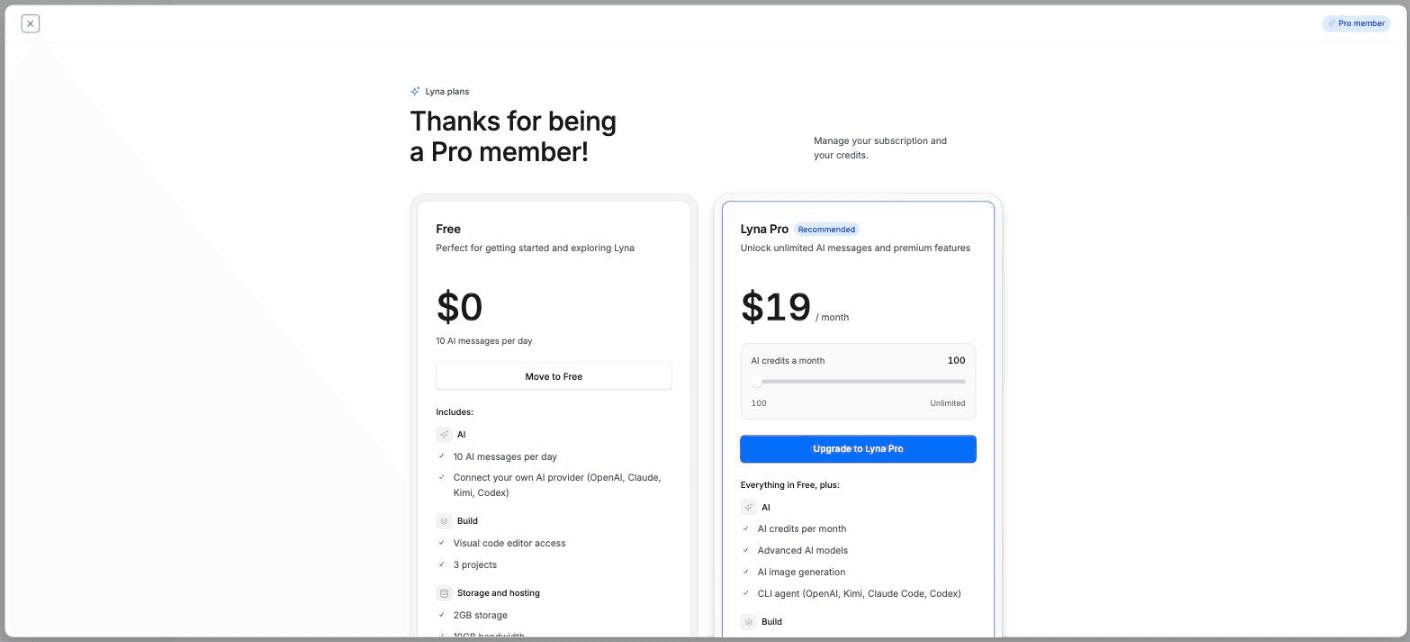
- Upgrade plan (Free) or Change plan (Pro) opens the plans dialog. Pick a plan, monthly or yearly billing and how many credits you want each month.
- Cancel subscription asks you to confirm. You keep the paid features until the end of the billing period, and the row shows Cancelling on with the date.
- Reactivate subscription undoes a cancellation before that date.
Storage & Bandwidth
On a paid plan, add prepaid blocks of 100 GB of storage and bandwidth, billed monthly.
- Add storage & bandwidth buys your first blocks.
- Manage > Change blocks changes how many you have.
- Manage > Cancel stops them. You keep them until the period ends.
Payment
Billing Details > Manage opens the billing portal, where you update your card and download invoices. It is available on a paid plan.
Where to see your usage
- The sidebar of the projects page shows Credits, Storage and Bandwidth.
- The account menu shows Chats today on Free and Credits this month on Pro.
See Plans and credits for what each plan includes, and Usage for every place usage shows.