Account settings
Change your password, protect your account with an authenticator app, and delete your account.
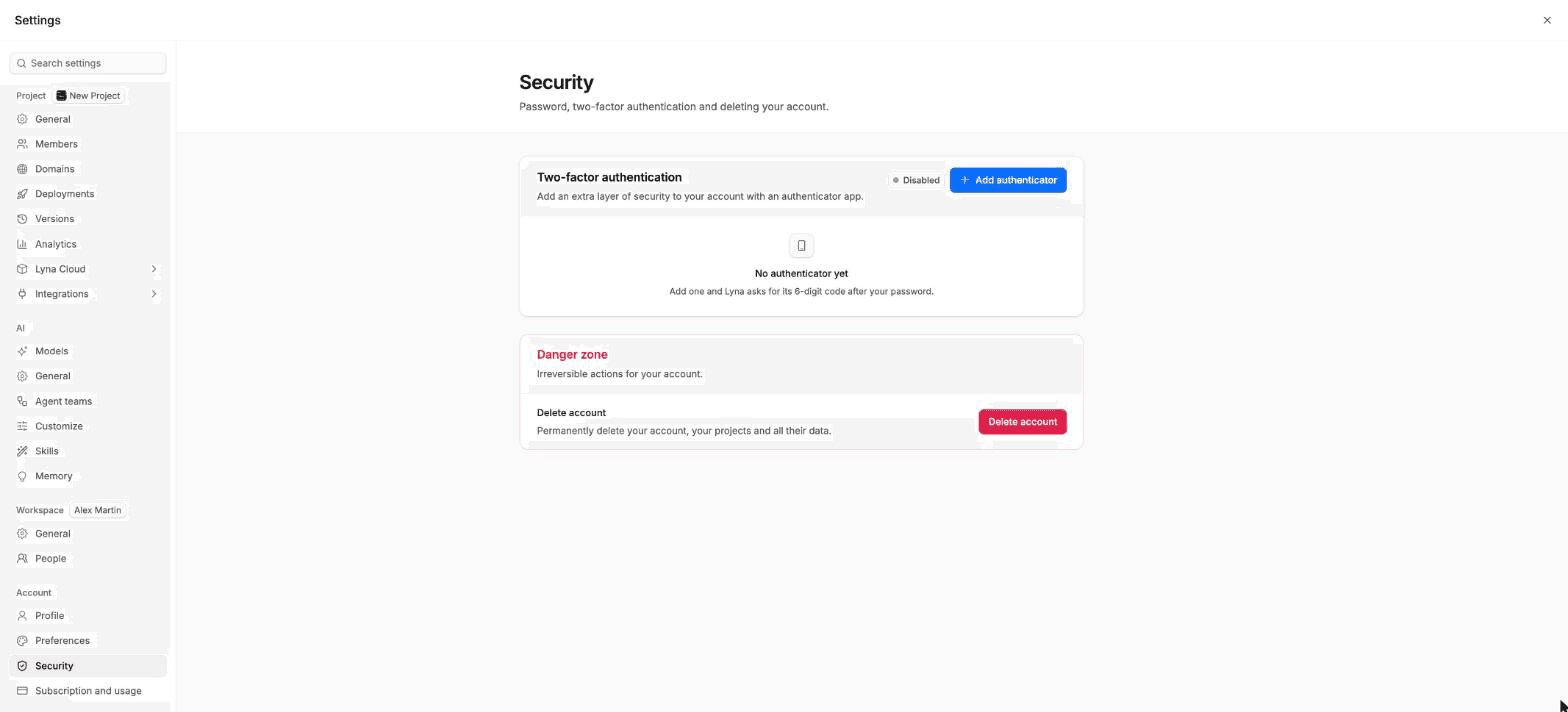
Keep your Lyna account safe in Settings > Account > Security. The page holds your password, two-factor authentication and, at the bottom, the option to delete your account.
What you can do
- Change your password.
- Add or remove authenticator apps for two-factor authentication.
- Delete your account.
Change your password
The Password card shows when you sign in with an email and a password. Choose Update password and set a new one. If you sign in with a provider such as GitHub or Google, your password is managed by that provider.
Turn on two-factor authentication
With two-factor authentication, Lyna asks for a 6-digit code from an authenticator app after your password.
Add an authenticator
Under Two-factor authentication, choose Add authenticator.
Scan the QR code
Scan it with your authenticator app. If you cannot scan it, reveal the key and enter it in your app.
Enter the code
Type the 6-digit code from your app and choose Verify and enable. The card shows Enabled.
You can add up to 10 authenticators, for example one on your phone and one on a second device. To remove one, choose Remove next to it and confirm.
Add a second authenticator
If you lose the device with your only authenticator, you cannot finish signing in. Add a second one on another device.
Delete your account
Deleting your account is final. It deletes all your projects and your chat history, and you cannot create a new account with the same email address. It does not cancel your subscription: cancel it first in Subscription and usage.
Open the danger zone
At the bottom of Security, under Danger zone, choose Delete account.
Confirm
Read what will happen. Type your account email and the word DELETE, then choose Continue.
Final confirmation
Choose Yes, delete my account. Lyna signs you out.
Next steps
Preferences
Choose the language of Lyna (English or French) and its theme (light, dark or your system's). Your choice follows you in every project.
Subscription and usage
See your plan, upgrade or change it, cancel or reactivate it, add storage and bandwidth blocks, and manage your payment method and invoices.