Usage
Where to see what your projects use, which limits your plan sets, and how to get more storage and bandwidth.
Your plan sets limits for projects, storage, bandwidth and published sites. Your backend's own activity (requests, queries, functions) shows in the Lyna Cloud reports.
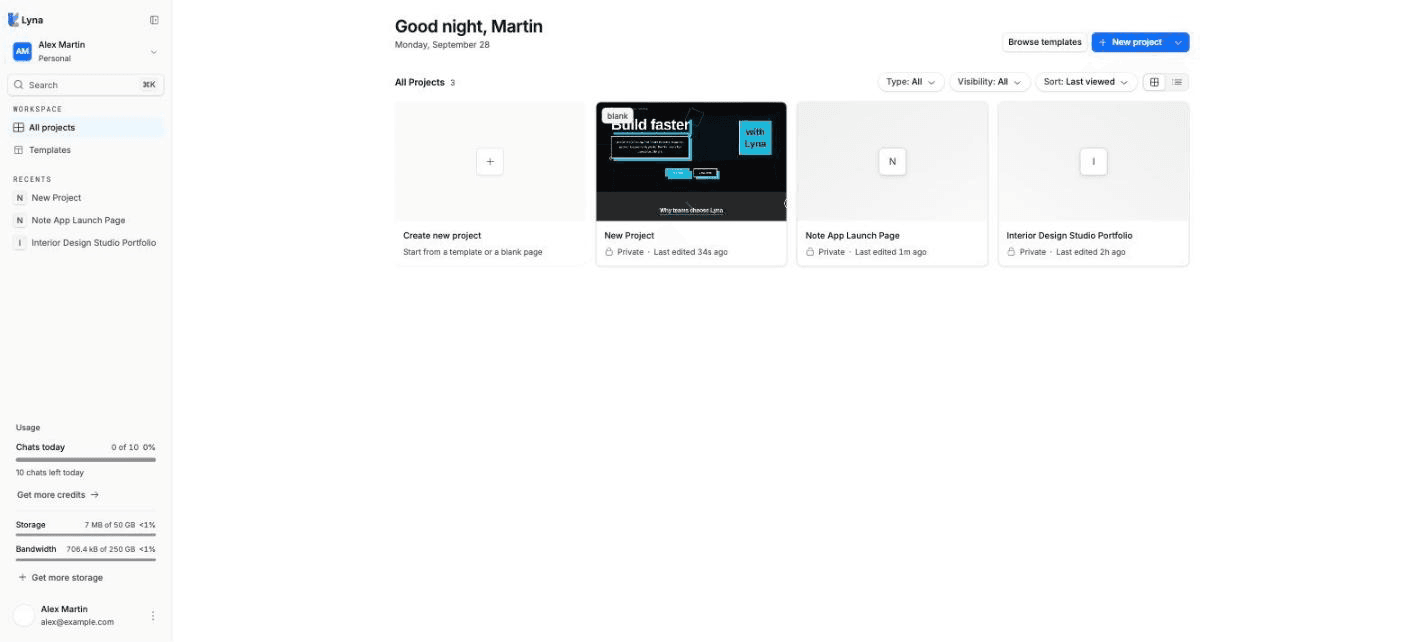
Where to see usage
| What | Where |
|---|---|
| Credits, Storage and Bandwidth | The sidebar of the projects page. |
| Chats today (Free) or Credits this month (Pro) | The account menu. |
| Your plan, add-on blocks and billing | Settings > Account > Subscription and usage. See Subscription and usage. |
| Backend traffic, queries, auth and functions | Settings > Lyna Cloud > Observability. See Logs and observability. |
| Database disk and table sizes | The Database report in Observability. |
| One edge function's calls | Its Overview tab in Edge functions. |
| Visits to your published site | Analytics. |
What your plan limits
- Projects: how many projects you can have.
- Storage: the files Lyna keeps for your projects.
- Bandwidth: the traffic your published sites serve each month.
- Published sites, and the size of each one.
The limits for each plan are in Plans and credits. Prices are on the pricing page.
Get more storage and bandwidth
On a paid plan, open Settings > Account > Subscription and usage and choose Add storage & bandwidth. Blocks of 100 GB are billed monthly. Use Change blocks to adjust them, or Cancel to stop them at the end of the period.
When you reach a limit
When storage is full, Lyna warns you that code changes will not be saved. Free up space or add a block. See Plans and credits for every limit and what to do.
Next steps
Logs and observability
Follow your backend with reports on queries, the API gateway, the database, the Data API, auth, edge functions and storage, and read the logs behind them.
Publishing
Put your app online at a Lyna address in about a minute, with a security review before it goes live, then update it with one click.