Secrets
Manage your app's .env values and the secrets your edge functions read, and see the values the platform provides.
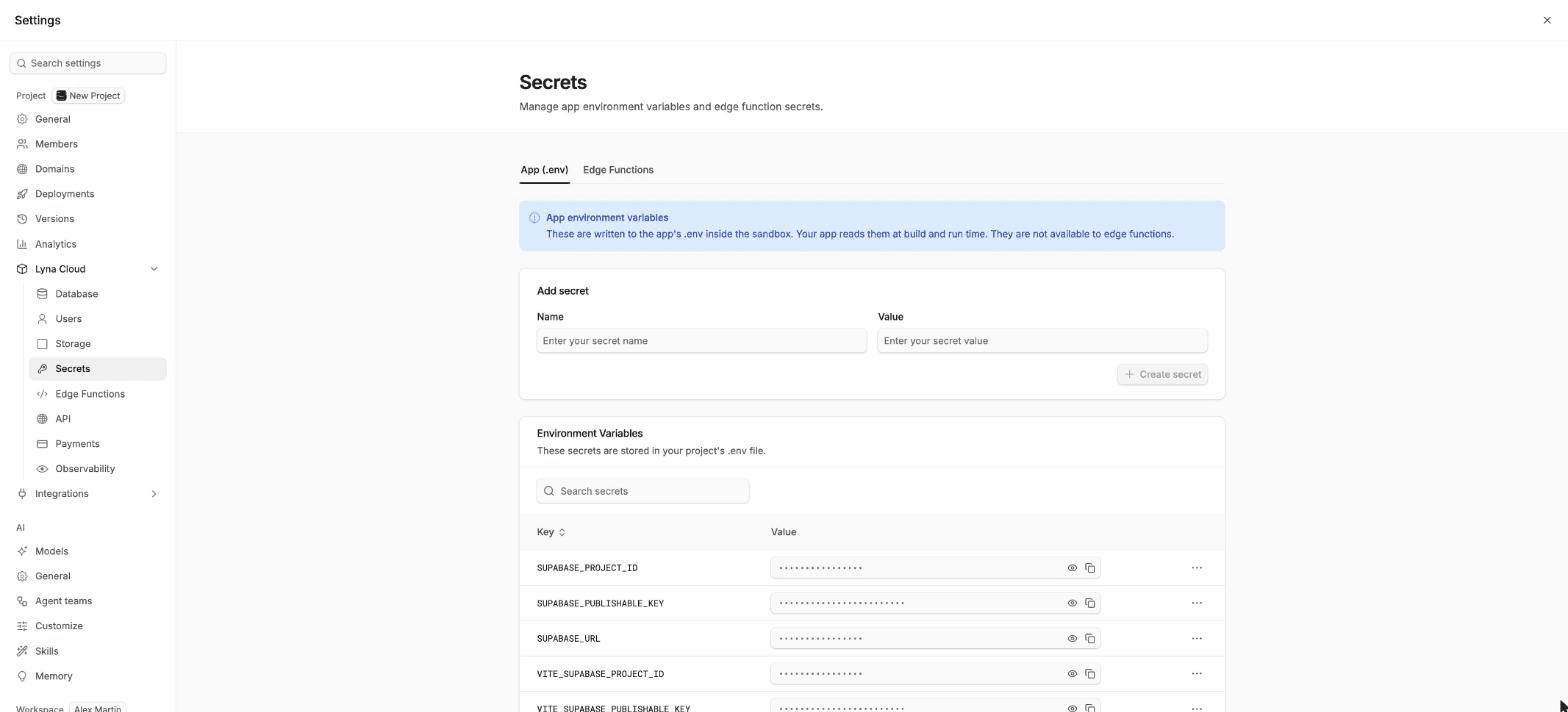
Secrets hold keys and settings your code needs, so they never sit in the code itself. Open Settings > Lyna Cloud > Secrets. The page has two scopes: App (.env) and Edge Functions.
Pick the right scope
| App (.env) | Edge Functions | |
|---|---|---|
| Where it lives | The .env file of your app, inside the sandbox | Your project backend |
| Who reads it | Your app, at build and run time | Your edge functions, at run time |
| Visible to visitors | Yes, values end up in the code the browser downloads | No |
| Good for | Public settings: the project URL, the publishable key, feature settings | Private keys: payment secret keys, email API keys, AI API keys |
Never put a private key in .env
Values in .env are bundled into the app your visitors download. Store private keys as Edge Functions secrets, and call them from an edge function. Lyna warns you when a value looks like a secret.
App secrets
Choose Add secret, enter a Key and a Value, then Save. Edit or delete a value from its row. The project must be running, because Lyna reads and writes the .env file in the sandbox.
Edge function secrets
Choose Add secrets
Paste one or more KEY=value pairs, one per line. Names are uppercased. Blank lines and lines starting with # are ignored.
Save
The secrets appear as Set. The value is hidden after you save it.
Read it in a function
In the function, read it with Deno.env.get("MY_KEY"). You can replace a value without redeploying the function.
Deleting a secret stops deployed functions from receiving it.
You can copy a name between scopes with Copy to Edge Functions scope or Copy name to App (.env).
Platform-provided secrets
Every edge function also receives values the platform sets for you, such as SUPABASE_URL, SUPABASE_PUBLISHABLE_KEYS, SUPABASE_SECRET_KEYS and SUPABASE_DB_URL. They are listed under Platform-provided secrets and are read-only.