Environment variables
Store the configuration your app reads when it builds and runs.
The Environment view lists the variables in your project's .env files. Add, edit, copy and delete them without opening the files.
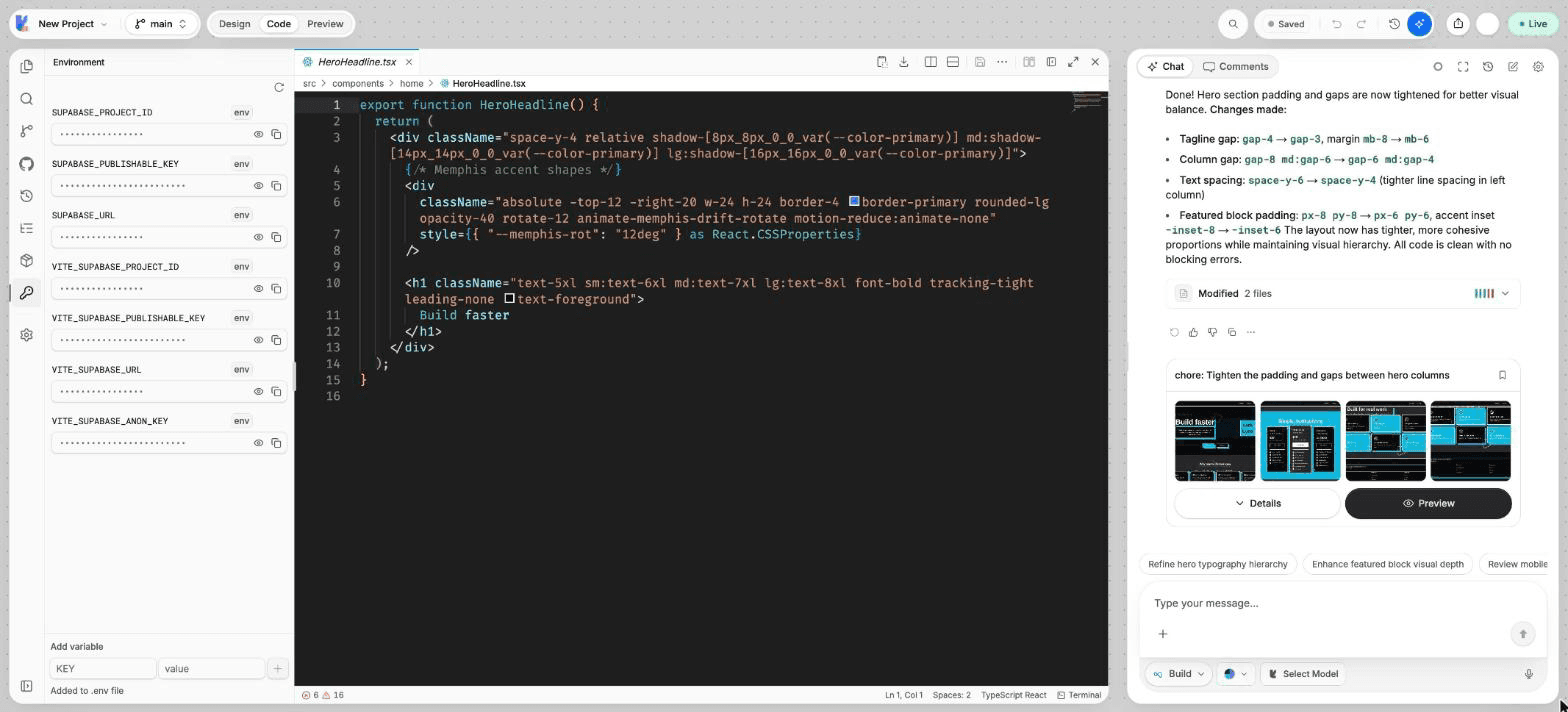
What you can do
- See the variables of
.env,.env.localand.env.developmentin one list. - Show or hide a value, and copy it.
- Edit a value in place.
- Delete a variable.
- Add a new variable to
.env.
Add a variable
Open Environment
In Code mode, choose Environment in the views rail.
Enter the name and value
At the bottom of the view, type the name in KEY and the value in value. Names use letters, digits and underscores, and cannot start with a digit.
Add it
Choose Add variable. The variable is added to .env. If the file does not exist yet, Lyna creates it.
Values are hidden by default. Choose Show value to see one and Copy value to copy it. Use the edit button to change a value in place, and the delete button to remove the variable.
Use a variable in your app
The build only gives the browser code the variables whose name starts with VITE_. Read them with import.meta.env:
const apiUrl = import.meta.env.VITE_API_URL;A variable without the VITE_ prefix is not available in your pages.
Never put a private key in .env
Everything your pages can read ends up in the code your visitors download. Keep private keys, such as payment secret keys or AI API keys, in Edge Functions secrets and use them from an edge function. See Secrets.