API
Explore and test the REST, GraphQL, Auth and Storage APIs generated for your backend, read their docs, tune the Data API and copy your connection keys.
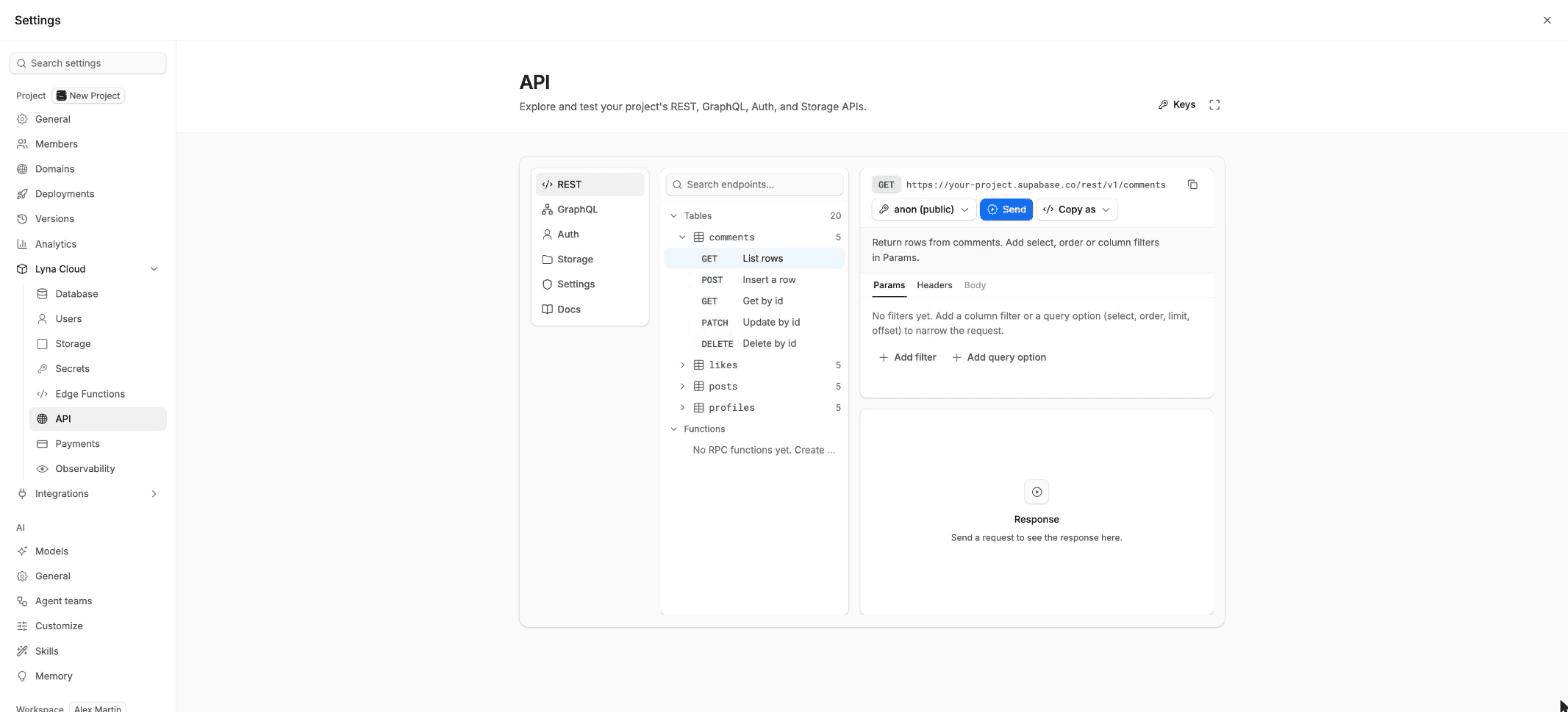
Your backend comes with an API generated from your tables. The API page is a studio where you try every request before you use it in your app. Open Settings > Lyna Cloud > API.
What you can do
- Send REST requests to every table and database function.
- Explore your schema and run queries in a GraphQL playground.
- Try the sign-up, sign-in, magic link, recovery and token endpoints.
- Try the storage endpoints: list, upload, download, sign and delete files and buckets.
- Read generated docs with code samples for your own tables.
- Choose which schemas, tables and functions the API exposes.
- Copy your project URL and keys.
The studio modes
| Mode | What it does |
|---|---|
| REST | Pick an endpoint such as List rows, Insert a row, Get by, Update by or Delete by. Add column filters and query options (select, order, limit, offset), headers and a JSON body, then send it. |
| GraphQL | A playground with your schema, autocomplete and docs. It needs a wide screen. |
| Auth | The sign-in endpoints. The token you get back can be reused in the next request. |
| Storage | The bucket and file endpoints, including file uploads. |
| Docs | Generated reference for your tables, views and functions, in JavaScript or Bash. |
| Settings | The Data API settings: Exposed schemas, Exposed tables, Auto-expose new tables, Max rows and Pool size. |
Every response shows its status, time, size and headers. You can copy a request as cURL or as a JavaScript fetch call, or choose Send to AI to hand the request and the response to the chat.
Pick a key
Requests use the publishable key by default, so they see what a visitor would see under your row level security policies. You can switch to the service role key to test server-side code: it bypasses row level security, so use it for testing only.
Keys
Choose Keys to see the Project URL, the Publishable key and the Service role key. Reveal and copy them. Only editors can copy the service role key.
Harden the Data API
By default the API serves the public schema. The Harden Data API guide in Settings walks you through moving your tables to a custom schema for stronger isolation in production.