Analytics
Anonymous visitor analytics for your published site, without cookies. See visitors, pageviews, sources, pages, countries and devices, export CSV and share a read-only dashboard.
Analytics shows who visits your published site. It is anonymous: no cookies and no stored IP addresses. Open Settings > Project > Analytics. Analytics is a Pro feature.
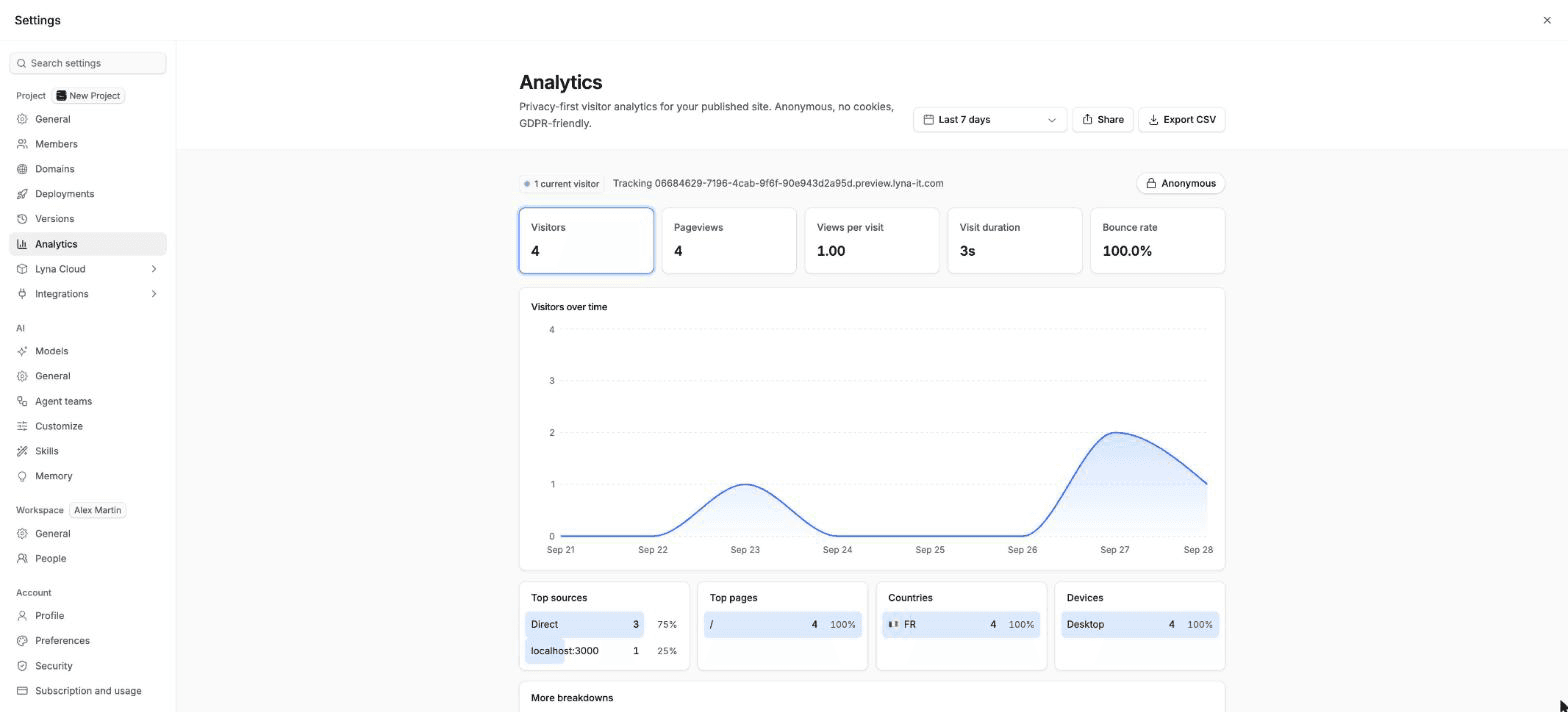
What you can do
- See current visitors and trends for any date range.
- Read top sources, pages, countries, devices, browsers, operating systems and UTM tags.
- Export the data as CSV.
- Share a read-only link to the dashboard.
Read the dashboard
Pick a date range
Choose the last 24 hours, 7 days, 30 days, 3 months, 12 months, all time, or a custom range.
Read the numbers
The top row shows Visitors, Pageviews, Views per visit, Visit duration and Bounce rate, each compared with the previous period. Choose one to chart it over time.
Break it down
Below the chart: Top sources, Top pages, Countries, Devices, and under More breakdowns, Browsers, Operating systems and the UTM source, medium and campaign. Choose Show more for the full list.
Track your campaigns
Add utm_source, utm_medium and utm_campaign to the links you share. Visits from those links appear in the UTM breakdowns.
Export
Choose Export CSV and pick the last 7 days, the last 30 days or the selected range.
Share the dashboard
Create a link
Open the menu and choose Share. Pick when the link expires (7 or 30 days), then choose Create link and copy it.
Send it
Anyone with the link sees the stats only, read-only: no settings and no exports.
Revoke it
Under Active share links, choose Revoke link, or Revoke all links. People using a revoked link lose access right away.
If you see no data
| What you see | What to do |
|---|---|
| Publish your site to see analytics | Publish first. See Publishing. |
| No visits yet | Share your URL and wait for visits. |
| Analytics beacon not detected | Choose Reconnect analytics. |