Create an account
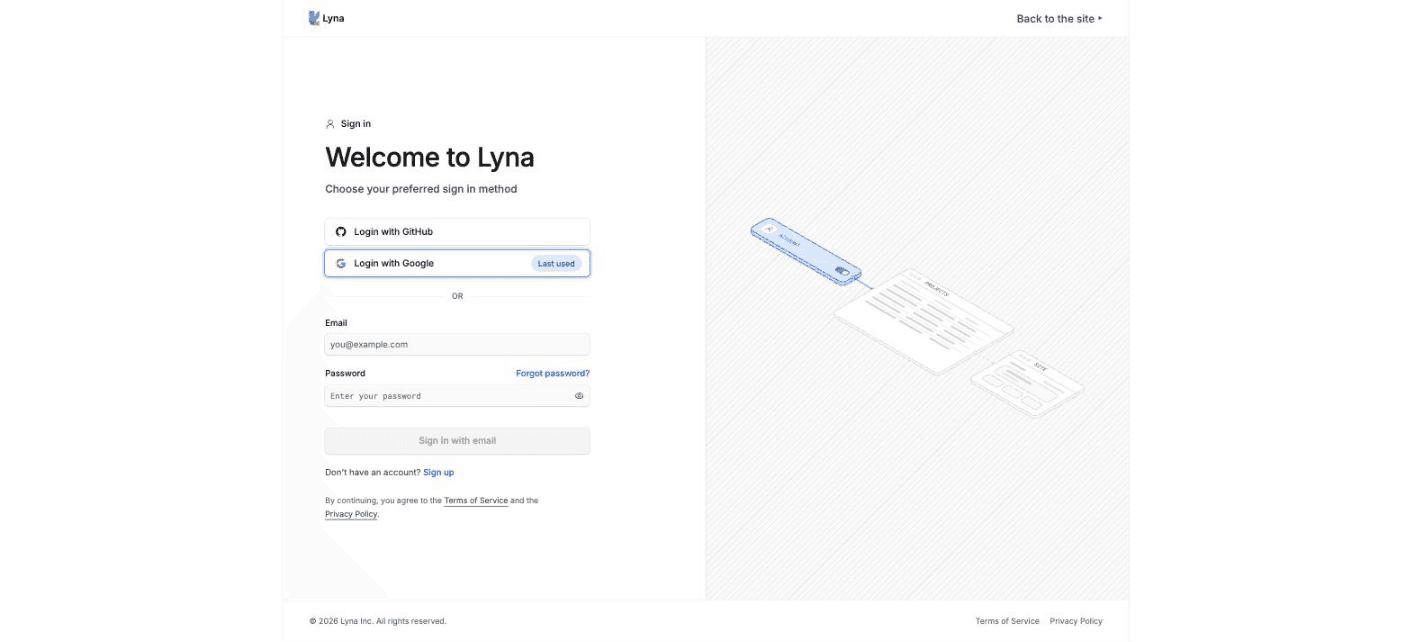
Sign up for Lyna with GitHub, Google or an email address and password.
You need a free account to create projects. It takes less than a minute.
What you can do
- Sign up with GitHub or Google in one click.
- Sign up with an email address and password.
- Reset a forgotten password by email.
- Protect your account with two-factor authentication.
Sign up
Open the sign-in page
Go to Lyna and choose Sign in or Start building.
Pick a method
- Choose Login with GitHub or Login with Google to use an account you already have.
- Or choose Sign up under the email form to create an account with your email address.
The page marks the method you used last time with You used this last time.
Create your password (email only)
Enter your email, then a password and its confirmation. The password needs:
- At least 8 characters
- One lowercase letter and one uppercase letter
- One number
- One symbol
Accept the Terms of Service and the Privacy Policy, then choose Create account.
Confirm your email (email only)
Lyna sends a confirmation link to your inbox. Open it to activate your account, then sign in. If you do not see the email, check your spam folder.
Started from the home page?
If you typed an idea on the Lyna home page before signing in, Lyna keeps it in that browser tab. After you sign in, the projects page offers Create project from your idea. The idea is kept for 24 hours.
Forgot your password
- On the sign-in page, choose Forgot password?
- Enter your email and choose Send reset link.
- Open the link in the email and set a new password.
Turn on two-factor authentication
Open Settings, then Account > Security. Add an authenticator app. From then on, Lyna asks for the 6-digit code from the app each time you sign in.
Weak passwords are refused
Lyna refuses passwords that are too weak or that appeared in a known data breach. Choose a new, unique password.