MCP servers
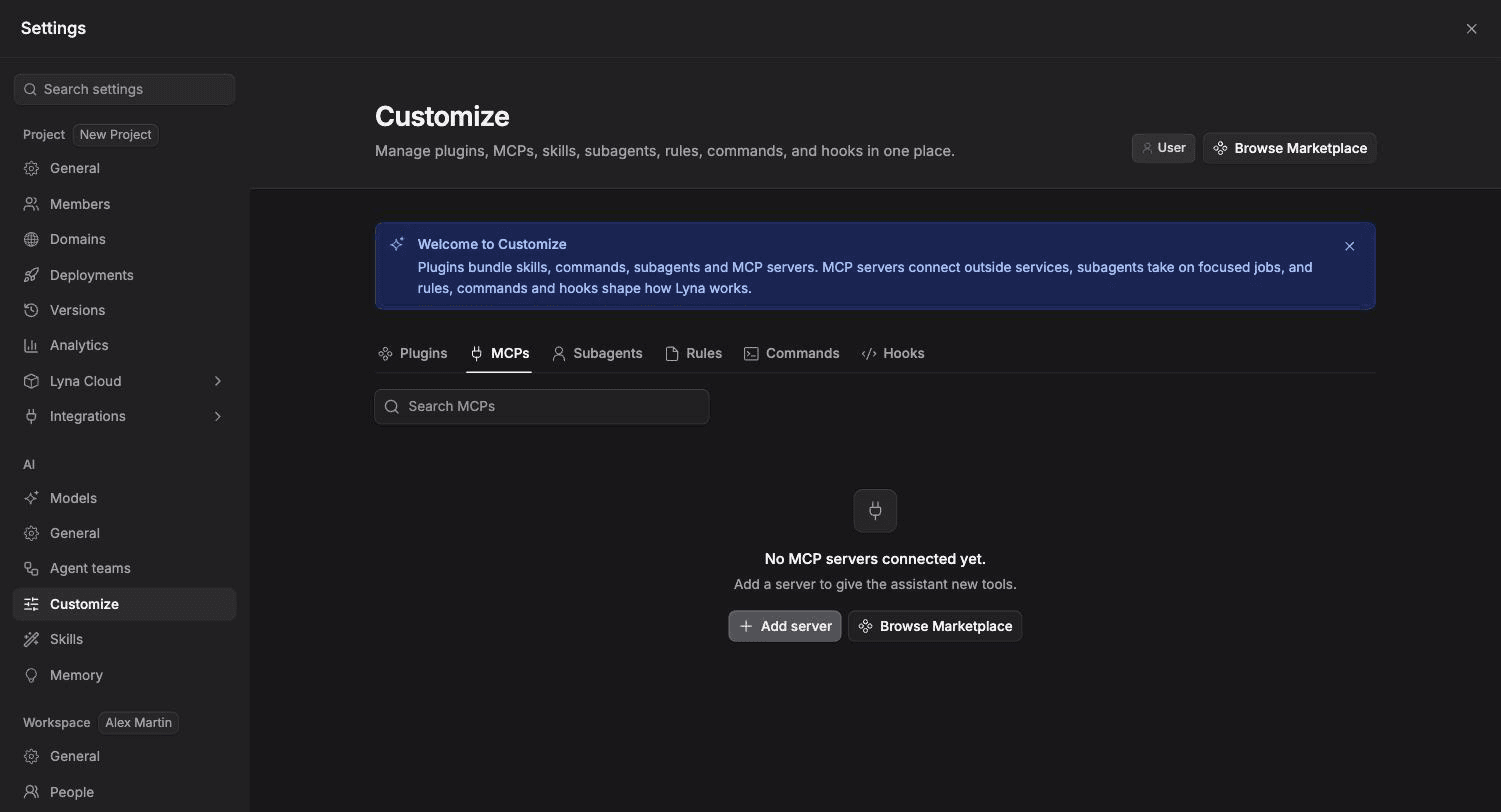
Give the AI new tools by connecting MCP servers, from the catalog or your own, local or remote.
MCP (Model Context Protocol) servers connect outside services to the AI. Once connected, the AI can use the tools a server offers, such as reading issues, searching docs or querying analytics.
What you can do
- Add a server from the marketplace catalog.
- Add your own local (stdio) or remote (HTTP or SSE) server.
- Sign in with OAuth, a bearer token or an API key.
- Check a server's status and tools, reconnect it, or read its output.
- Turn servers on or off per project.
Catalog
The marketplace lists ready-made integrations in categories such as developer tools, productivity, search, automation, data, design, content, payments and media. Examples include GitHub, Sentry, Figma, Notion, Linear, Slack, PostHog, Stripe and library documentation servers.
Add a server from the marketplace
Open the marketplace
Open Settings > AI > Customize and choose Browse Marketplace.
Pick an integration
Open an item to see what it includes, its transport and how it authenticates. Choose Add.
Authenticate
If the server uses OAuth, choose Authenticate and connect your account. If it needs an API key or token, enter it.
Add your own server
In Customize, pick the MCPs chip and choose Add. Then:
| Field | Local process (stdio) | Remote (HTTP or SSE) |
|---|---|---|
| Name | A short id, such as my-mcp-server | Same |
| Command / Server URL | The command, such as npx | The server URL |
| Arguments | For example -y, @scope/package | Not used |
| Environment variables | Keys and values the process needs | Not used |
| Auth type | Not used | OAuth, Bearer token, API key or None |
Choose Save server.
Keep secrets safe
Tokens and API keys give access to your accounts. Only add servers you trust, and use a token with the smallest access it needs.
Server status
Servers are grouped as Needs attention, Connected and Disabled. The status can be Starting, Connecting, Connected, Degraded, Needs authentication or Connection error. From a server's menu you can Reconnect, Authenticate, Configure, Reload its tools, Show output, Log out, Disable or Remove it.
Turn servers on or off from the chat
Type /mcp in the chat to see your servers and switch them on or off without leaving the conversation.