Subagents
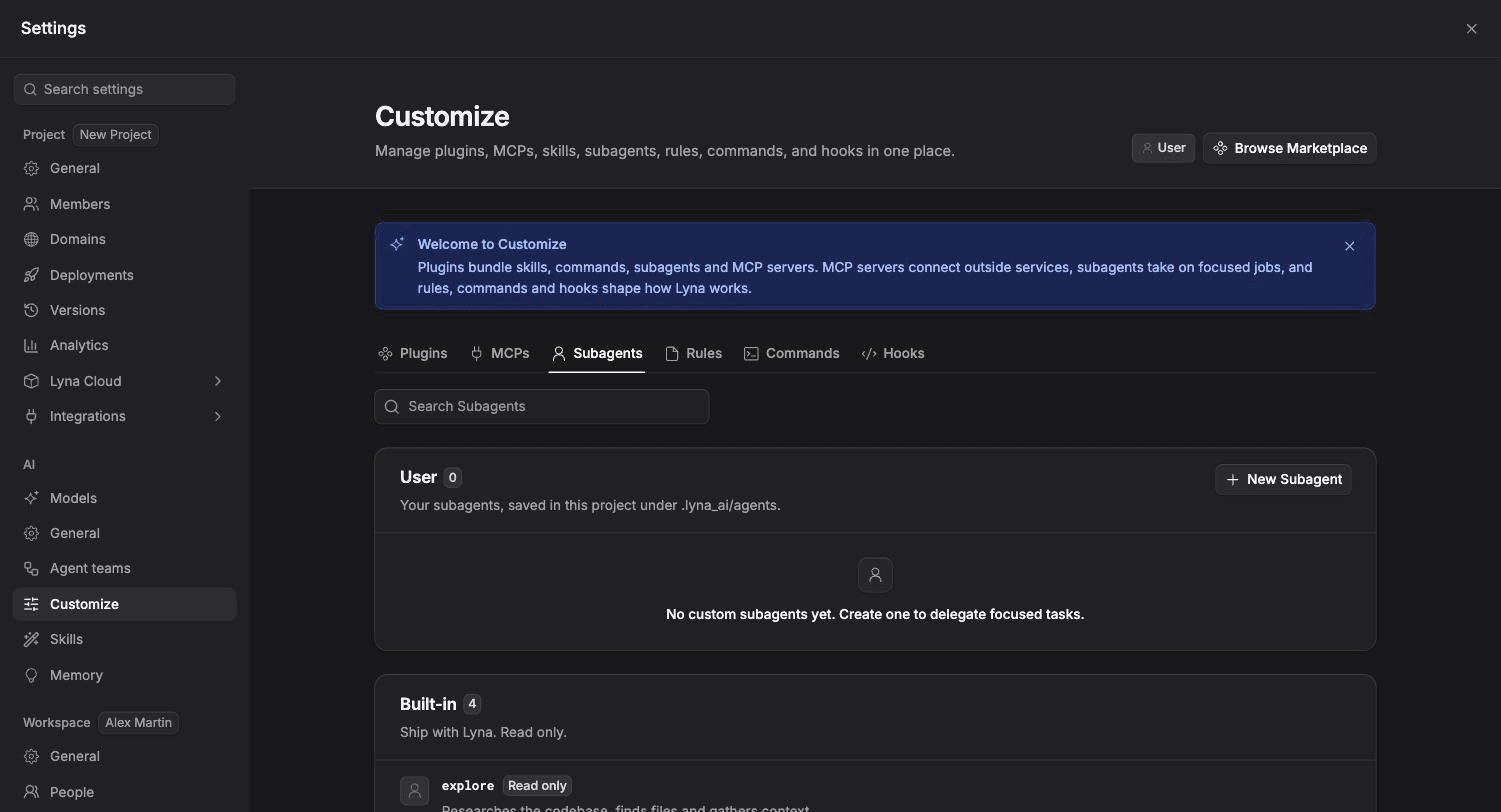
Focused helpers the AI hands work to. Use the built-in subagents or write your own with their own instructions, tools and step budget.
A subagent takes one focused job, such as research or review, works on it with its own instructions, then reports back to the main AI. The main AI decides when to hand off a task, based on each subagent's description.
What you can do
- Rely on the built-in subagents that ship with Lyna.
- Create your own subagents for jobs you repeat.
- Limit a subagent to reading only, or give it full access.
- Set how many steps it can take and which model it uses.
Built-in subagents
| Subagent | What it does |
|---|---|
explore | Researches the codebase, finds files and gathers context. |
general | Handles any task: reads and edits files, and runs commands. |
verify | Checks that code is correct by reading it and running type checks and lint. |
plan | Explores the codebase and drafts a detailed implementation plan. |
Create a subagent
Open Subagents
Open Settings > AI > Customize, pick the Subagents chip and choose New Subagent.
Fill in the form
| Field | What to enter |
|---|---|
| Name | Lowercase letters, numbers and hyphens, for example code-reviewer. |
| Description | When the assistant should use this agent. Write it as a clear trigger. |
| Tool access | Read only (reads and searches, changes nothing) or Full access (reads and edits files, runs commands). |
| Max steps | The most tool calls it makes before it reports back. |
| Model | Default to use the conversation's model, or pick another. |
| System prompt | The agent's instructions. |
Save
The subagent is saved as .lyna_ai/agents/<name>.md in your project. The AI can use it from the next message.
The file format
---
name: reviewer
description: Reviews a change for correctness, routing conventions and test coverage. Use before merging.
toolAccess: read-only
maxSteps: 12
---

You are a code reviewer for a React, TypeScript and Tailwind CSS project.
Report findings as a short list with file and line references. Do not modify files.
If you leave out toolAccess, the agent is read only. If you leave out maxSteps, it gets 15 steps.
Give reviewers read-only access
Researchers and reviewers do not need to change code. Read-only access keeps them from editing files by mistake.
Subagents added by plugins show with a Plugin label and are read only. Built-in subagents cannot be edited.