Build with AI
Skills
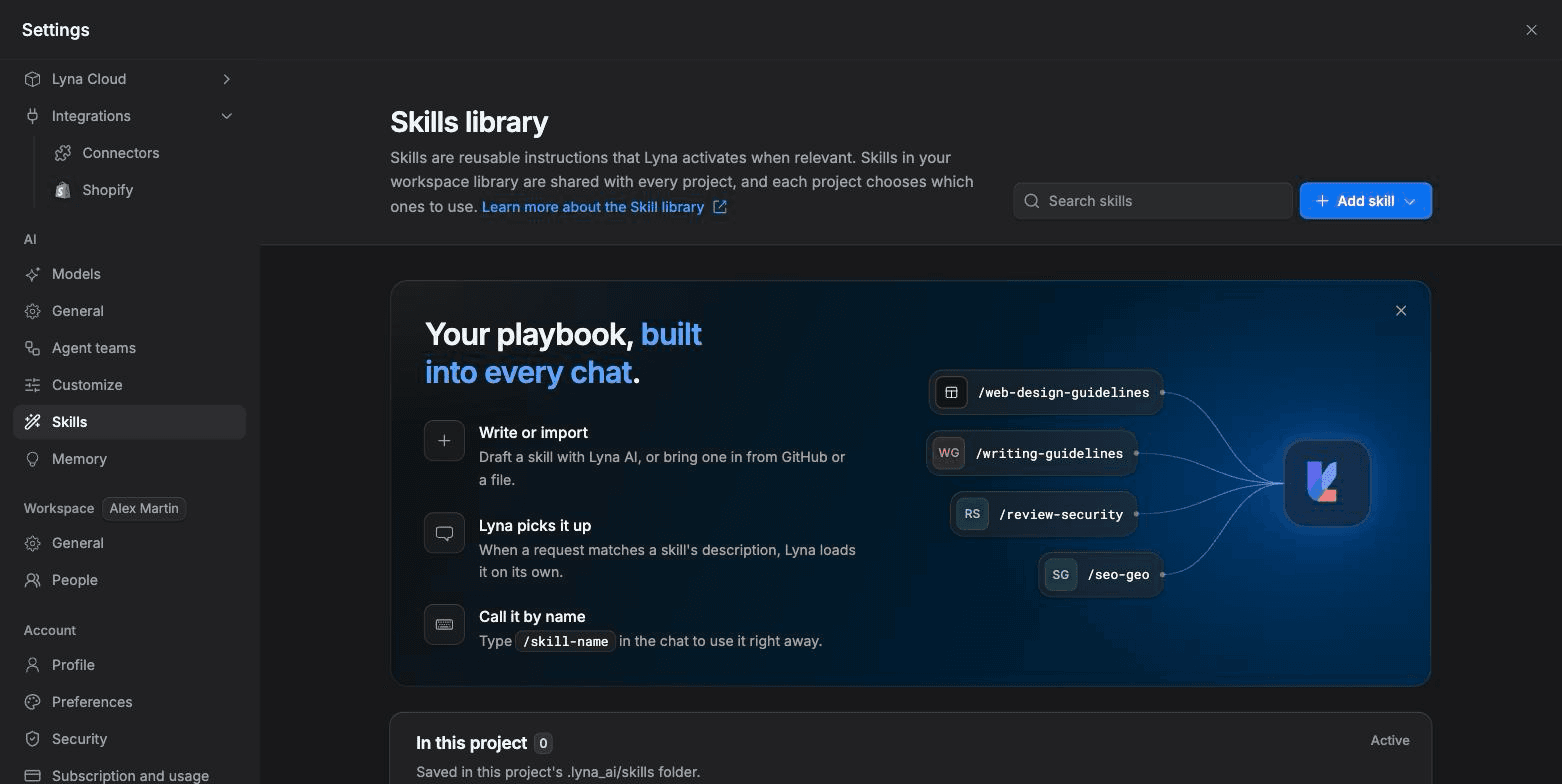
Package reusable instructions as skills. Lyna loads a skill when your request matches it, or you call it by name.
A skill is a set of instructions for one kind of task, such as adding a checkout or writing SEO copy. Unlike a rule, a skill stays out of the way until a request matches it.
What you can do
- Use Lyna's built-in and curated skills.
- Write a skill by hand, build one with the AI, import one from GitHub or a file.
- Share skills with your whole workspace through the Skills library.
- Choose which skills each project uses.
- Call a skill by name with
/skill-name.
How skills work
- Write or import a skill.
- Lyna picks it up: when a request matches the skill's description, Lyna loads it on its own.
- Call it by name: type
/skill-namein the chat to use it right away.
Where skills come from
| Section | What it holds |
|---|---|
| In this project | Skills saved in the project's .lyna_ai/skills folder. |
| Workspace library | Skills shared across the workspace. Turn one on to use it in this project. Owners and admins add skills to the library. |
| Lyna-curated skills | Written and kept up to date by Lyna, such as SEO and GEO, Writing guidelines, Web design guidelines and Accessibility audit. |
| Built-in skills | Always available, such as creating rules, skills, hooks, subagents and commands. Turn off any you do not want. |
Add a skill
Open Skills
Open Settings > AI > Skills, or type /skills in the chat. Choose Add skill.
Pick a method
- Write manually: write the SKILL.md yourself.
- Build with AI: describe it and let the assistant draft it.
- From GitHub: pull a SKILL.md from a public repository. You can also add it to the workspace library.
- Import from file: a
.md,.mdx,.zipor.skillfile.
Fill in the skill
- Skill Name: lowercase letters, numbers and hyphens. It becomes the permanent id.
- Description: start with "Use when" and name the trigger, the scope and the limit, so Lyna recalls it at the right time.
- Instructions: step-by-step instructions for the assistant.
- Use automatically: when on, Lyna uses the skill when your message matches its description. When off, the skill is Manual only.
Use trusted sources only
Skills from unknown sources may contain unsafe or harmful instructions. Read a skill before you add it.
The SKILL.md format
Each skill is a folder under .lyna_ai/skills/ with a SKILL.md file and optional extra files.
---
name: Stripe Checkout
description: Use when the user asks to add payments, a checkout or a paywall.
auto: true
---

# Stripe checkout

1. Read the publishable key from import.meta.env.VITE_STRIPE_PUBLISHABLE_KEY.
2. Add a /checkout route and a /checkout/success route.
3. Keep secret keys on the server. Never put a secret key in client code.
Limits
| Item | Limit |
|---|---|
| Name | 1 to 64 lowercase letters, numbers or hyphens |
| Description | Up to 1,024 characters, no HTML |
.md or .mdx file | 256 KB |
.zip or .skill archive | 2 MB, one SKILL.md, up to 100 files |
Manage skills
From a skill's menu you can Edit, Download .zip, View files, Add to Skills library or Delete it.