Forms
Build a form visually with fields, validation and a live preview, then insert it into your page as a React component.
The form builder lets you design a form without writing code. Pick fields, set their rules, try the form live, then insert it into your page. Lyna writes a self-contained component with validation.
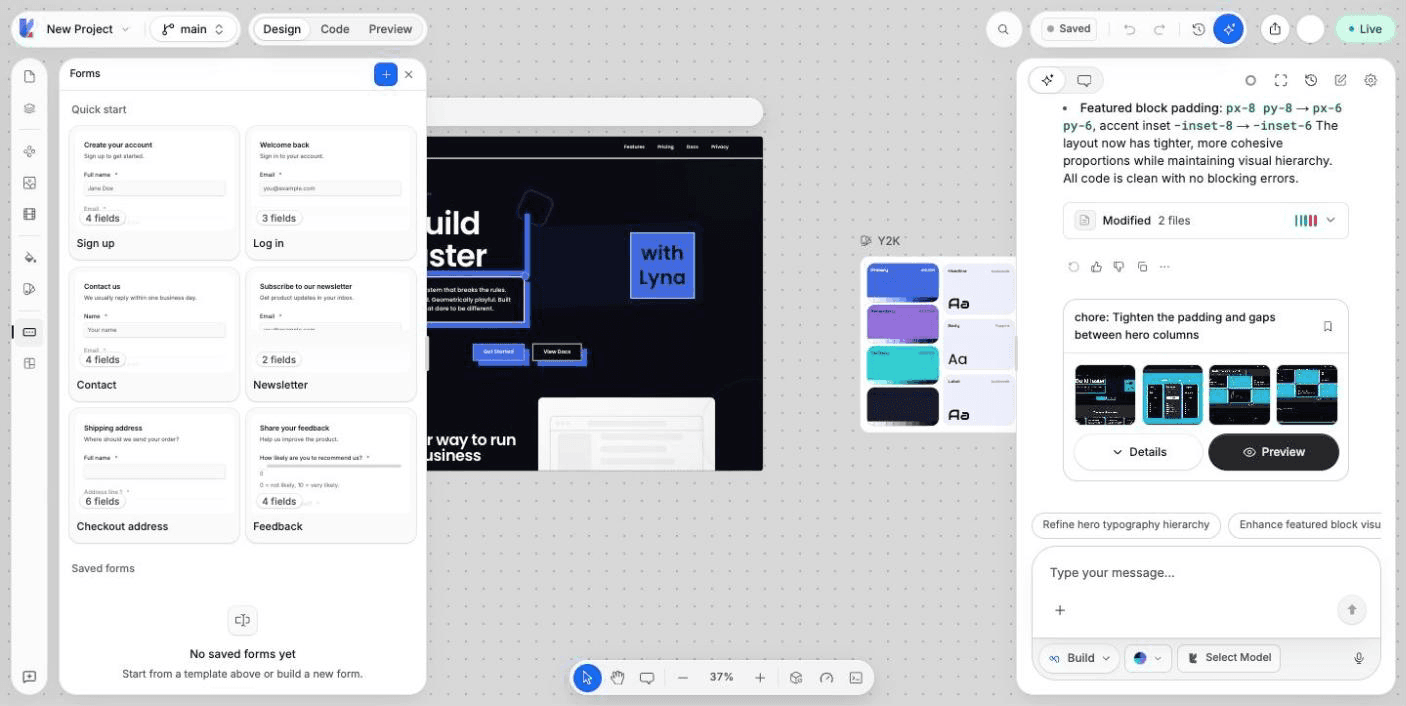
What you can do
- Start from a template or from an empty form.
- Add fields by dragging or clicking them.
- Set labels, helper text, placeholders and validation rules.
- Try the form in a live preview.
- See and copy the generated code.
- Save drafts and edit a saved form later.
- Insert the form into your page.
Build a form
Open Forms
Choose Forms in the rail on the left of the editor. Choose New form, or a template under Quick start: Sign up, Log in, Contact, Newsletter, Checkout address or Feedback.
Add fields
Drag a field from the Fields palette onto the form, or click it to add it at the end.
| Group | Fields |
|---|---|
| Text | Text, Email, Website, Phone, Number, Password, Long text |
| Choices | Dropdown, Radio group, Checkbox group, Combobox |
| Controls | Checkbox, Switch, Slider, Date |
Set each field
Select a field to edit its Label, Field name, Helper text, Placeholder and whether it is Required. Under Validation, set limits such as Min length, Max length, Minimum, Maximum, a Pattern (regular expression), or the earliest and latest date. Choice fields have Options you can add and remove.
Set the form
In Form settings, set the title, the Description, the Submit button text and the Component name. The component name is the file created in src/components/forms.
Try it
Switch the view to Preview and fill in the form. The preview checks your rules. No data is sent.
Fix issues before you insert
The builder flags problems such as two fields with the same name. Insert into page asks you to fix them first.
The generated code
Switch the view to Code to read the component. It uses React Hook Form and Zod for validation. Choose Copy code to copy it.
Saved forms
Choose Save draft to keep your work. Saved forms are listed under Saved forms with their number of fields. Open a form's menu to Edit, Open or Delete it.
After the first insert, the component name is locked so the file stays stable. Edit the form and insert it again to update the component. Deleting a saved form does not remove the forms already inserted into your pages.