Projects
Project settings
Every project setting in one reference. Name, images, SEO, tags, visibility, auto save, members, domains and more.
Project settings live in two places: the full Settings window inside the editor, and a short Project Settings dialog on the projects page.
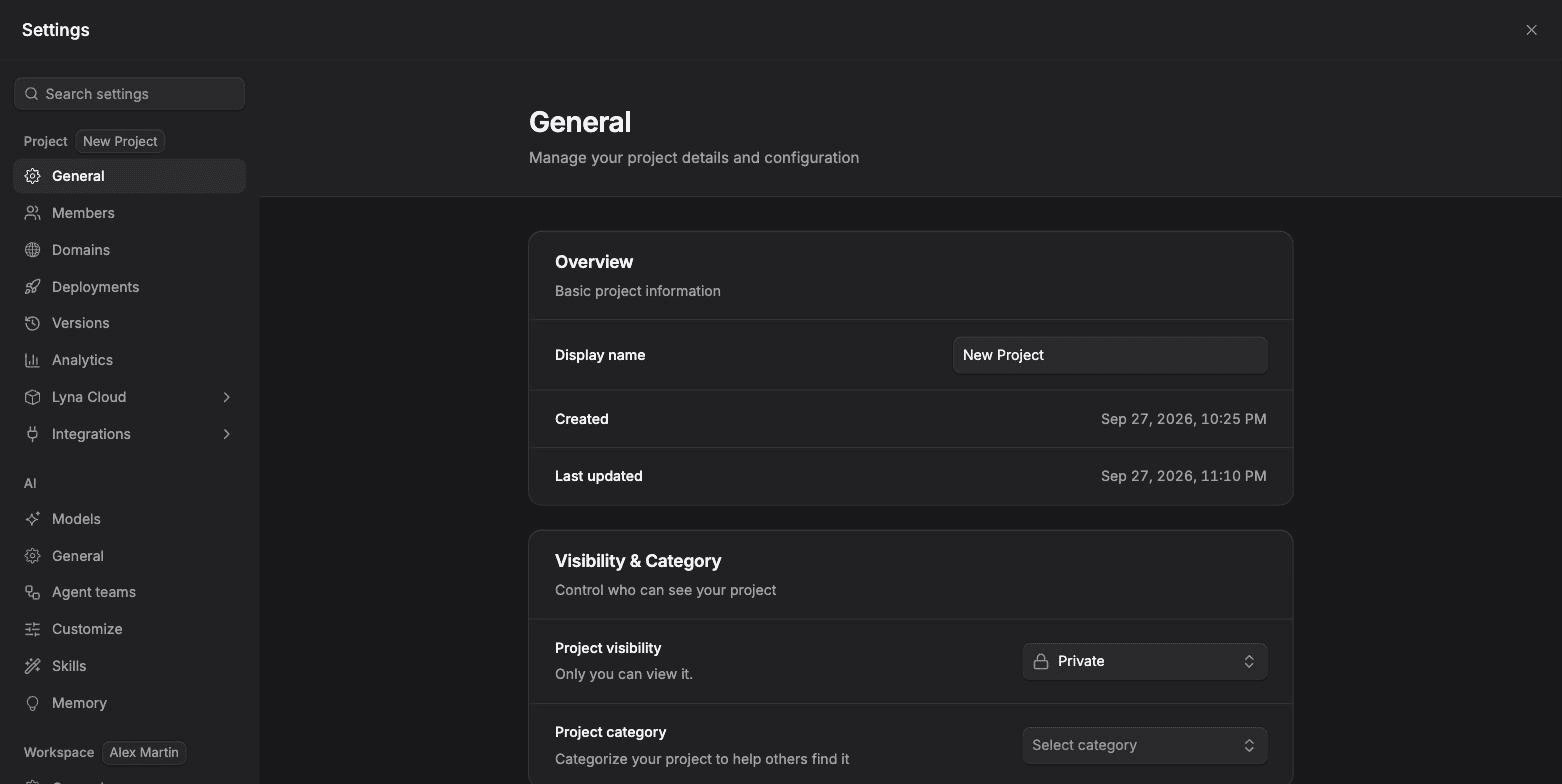
Open project settings
- In the editor: open the Project menu and choose Open Settings. The Project group is at the top.
- On the projects page: open the settings button on a project card. The dialog has Project details, Publishing, Sharing, Project actions and Danger zone.
Project > General
| Section | What you set |
|---|---|
| Overview | The project name. Shows when it was created and last updated. |
| Visibility & Category | Public (visible to anyone once published), Workspace (only workspace members) or Private (only you). The category helps people find it: Internal Tools, Website, Personal, Consumer App, B2B App or Prototype. |
| Tags | Up to a set number of tags, with suggestions. Press Enter or a comma to add one. |
| SEO & Metadata | The site title and description, with a search result preview. |
| Imagery | The Favicon (browser tab icon) and the Social Preview image shown when your site is shared. Use Capture from Preview to take it from your app. |
| Auto Save | Save changes automatically after each edit, and set the wait time after your last edit. |
| Moderation Status | Shown for public projects that were reviewed. You can request a re-review after you fix a reported issue. |
Choose Save changes to apply, or Discard to cancel.
Other project pages
| Page | What it is for |
|---|---|
| Members | Invite people and set their role. See Members and roles. |
| Domains | Your Lyna address, a custom domain and the Lyna badge. See Custom domains. |
| Deployments | Publish history, redeploy and take the site offline. See Deployments. |
| Versions | Save, compare and restore versions. See Version history. |
| Analytics | Visitors and page views of your live site. See Analytics. |
| Lyna Cloud | Database, users, storage, secrets, edge functions, API, payments and logs. See Lyna Cloud. |
| Integrations | Connectors and Shopify. See Integrations. |
Who can change settings
Viewers can open a project but cannot change its settings. Members, domains and the AI settings are hidden from viewers.
Dialog on the projects page
- Publishing: Hide the builder badge (Pro) and Unpublish to take the live site offline.
- Sharing: how many people have access.
- Project actions: Remix this project and Move to workspace.
- Danger zone: delete the project.