Supabase
Supabase is the default backend for Lyna projects. It gives you a PostgreSQL database, user authentication, file storage, and edge functions. Everything is managed from the Lyna Cloud section in project settings. No separate Supabase dashboard needed.
Two Connection Modes
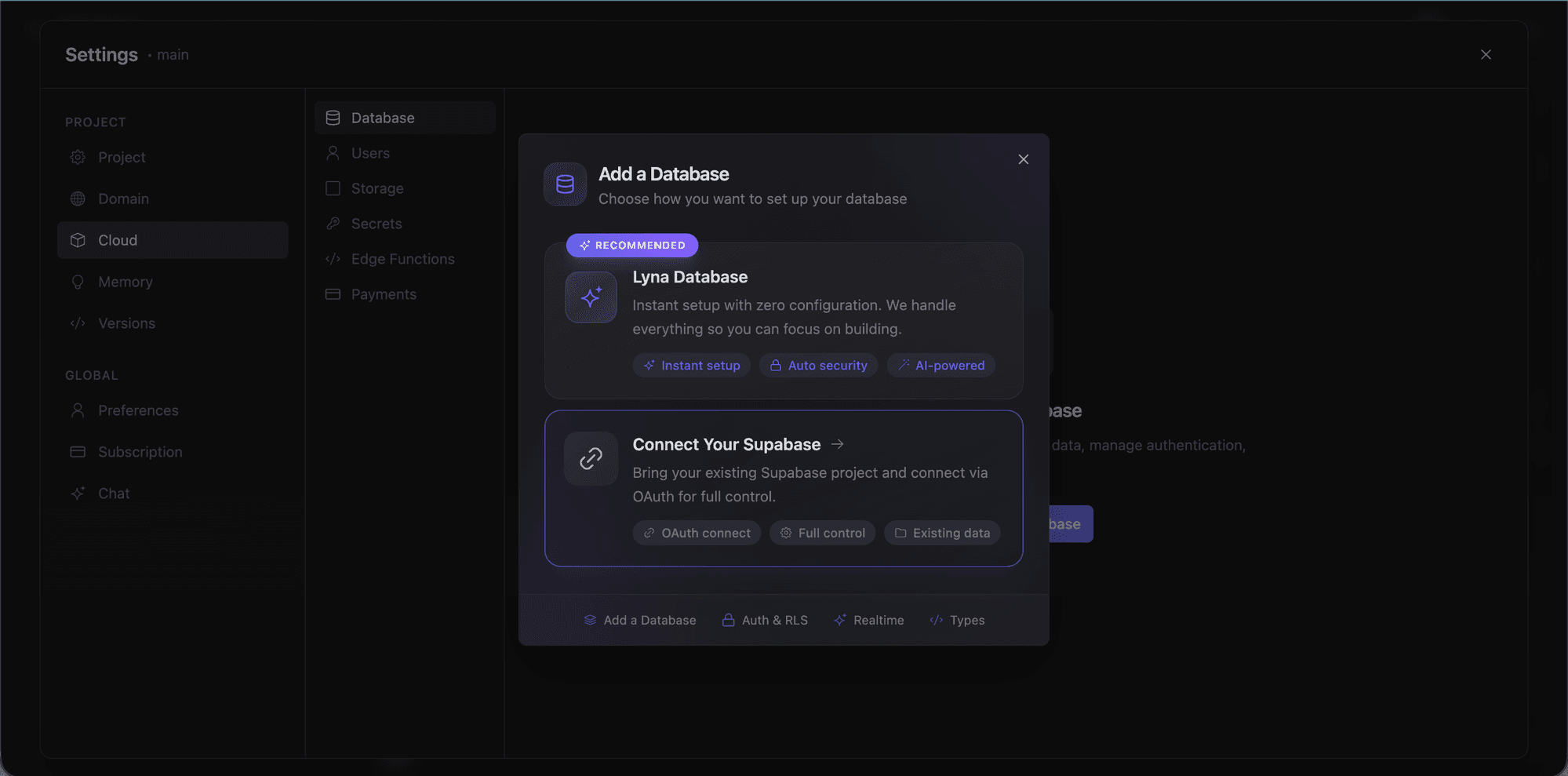
Open Settings > Cloud > Database in the editor.
Lyna Managed
Click Create Database. Lyna provisions a Supabase project for you automatically: credentials, configuration, everything. You get a working backend in seconds.
User Connected
Click Connect Existing to link your own Supabase project. This uses OAuth2 with the Supabase Management API: authorize Lyna to access your account, pick a project, and Lyna reads the credentials automatically.
Use this if you already have a Supabase project with data you want to keep.
A connected database is required for authentication, storage, and edge functions. Connect one before using those features.
Secrets
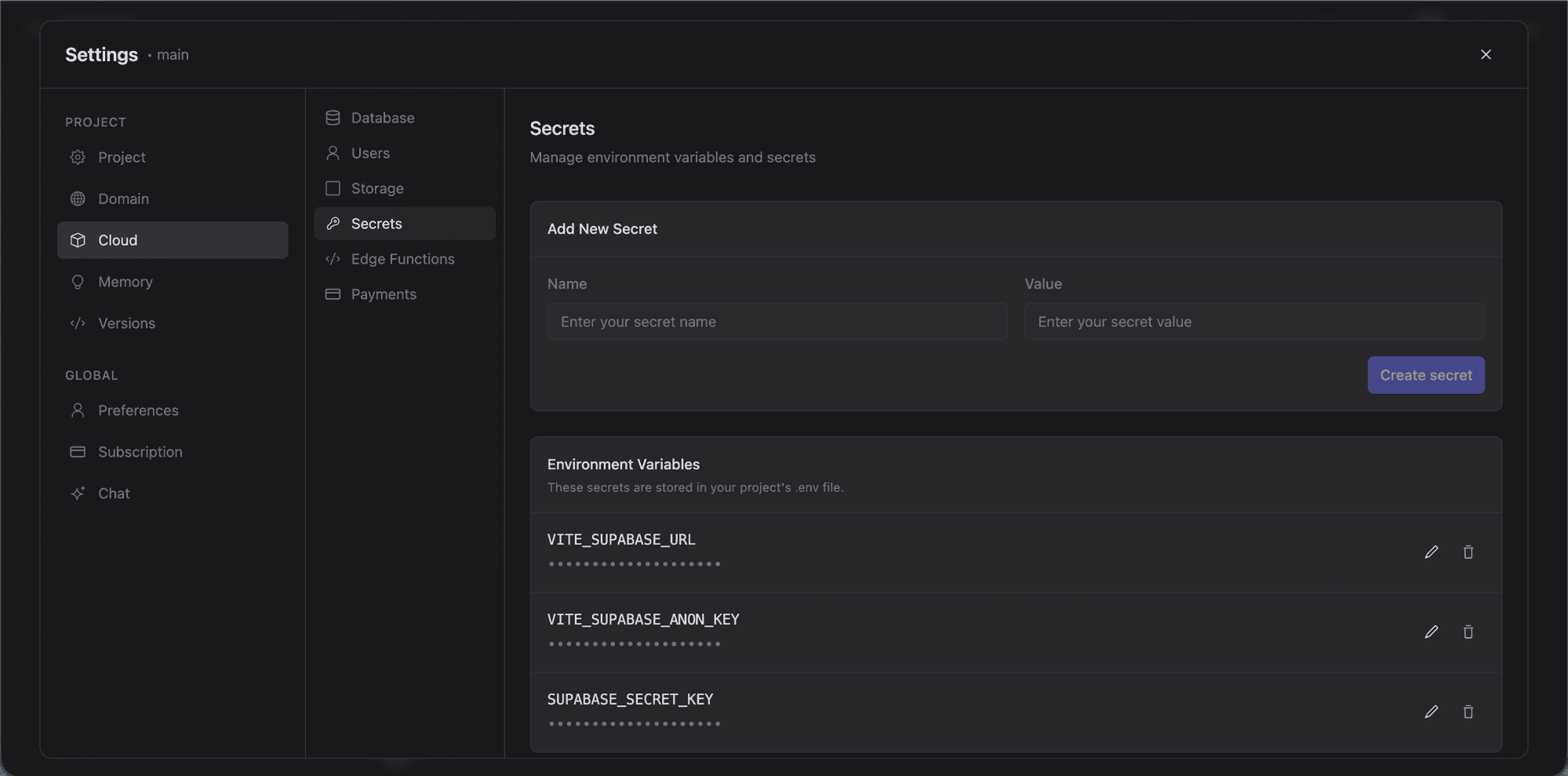
Environment variables and secrets are managed from Settings > Cloud > Secrets. These are stored in your project's .env file and injected into the sandbox at runtime.
Lyna Cloud
Once connected, the Cloud section in settings unlocks six panels:
| Panel | Description |
|---|---|
| Database | Tables view, SQL query editor (Monaco), schema visualizer (ReactFlow), 6 database templates, logs, security audit, and suggestions. |
| Authentication | Supabase Auth with providers, email templates, and Row Level Security integration. |
| Storage | Bucket management and file browser. Requires Pro plan. |
| Secrets | Manage environment variables stored in your .env file. |
| Edge Functions | Monaco code editor, deploy, 5 template categories, secrets management, and function detail views. |
| Payments | Set up Stripe with Supabase edge functions for payment processing. |
Lyna Cloud is not a separate hosting service. It is the settings section within the editor that houses these six panels, all backed by Supabase.
Connection Keys
After connecting, Lyna stores the Supabase URL and anon key as environment variables in your project. The Supabase client in your generated code uses these to talk to your database. View them in the Keys tab of the database panel.
Security
Lyna runs a security scan during every publish:
- Checks that Row Level Security is enabled on all tables.
- Flags tables with RLS enabled but no policies defined.
- Surfaces database security issues before deployment.
Disconnecting
Open Settings > Cloud > Database and use the disconnect option. This removes the connection credentials but does not delete the Supabase project itself.