MCP Servers
The Model Context Protocol (MCP) is an open standard that lets AI models interact with external tools and data sources. Connect MCP servers to your project, and the AI gains access to databases, APIs, documentation, and other services beyond what's built into the platform.
What MCP servers do
An MCP server exposes tools the AI can call during a conversation. For example:
- A database MCP server lets the AI query your production data
- A documentation MCP server gives access to internal docs
- A deployment MCP server lets the AI trigger deploys or check service health
- A design MCP server provides design system tokens and guidelines
When a server is connected and enabled, its tools appear alongside Lyna's built-in tools. The AI calls them when they're relevant to your request.
Configuring MCP servers
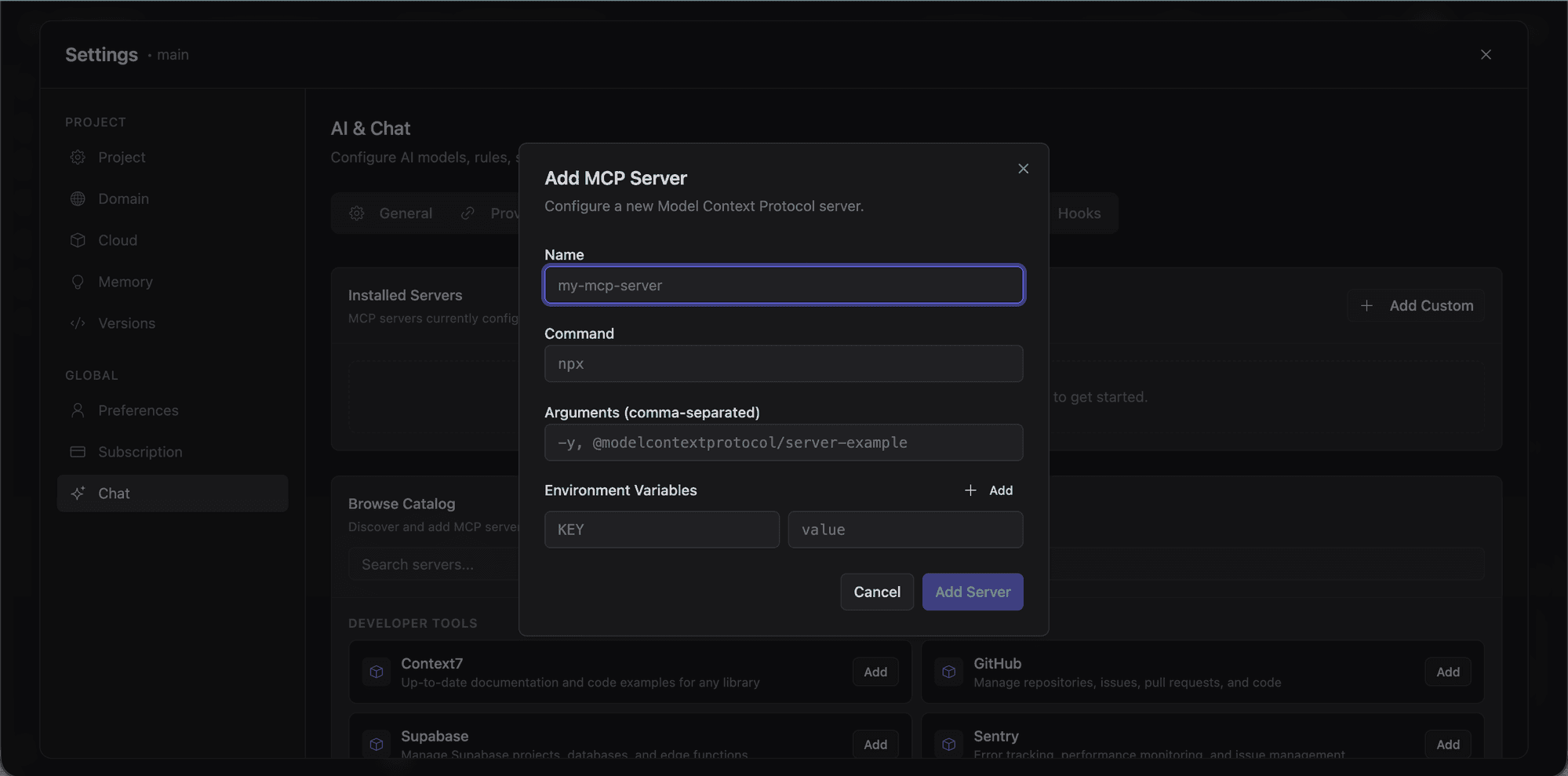
MCP servers are configured in .lyna_ai/mcp.json:
{
  "servers": [
    {
      "name": "My MCP Server",
      "command": "npx",
      "args": ["-y", "@example/mcp-server"],
      "env": {
        "API_KEY": "your-api-key"
      },
      "enabled": true
    }
  ]
}
Each entry has:
- name: Display name
- command: Command to start the server process
- args: Arguments passed to the command
- env: Environment variables (API keys, config)
- enabled: Whether the server is active
Managing MCP servers from the chat
Type /mcp to open the MCP management submenu. From there you can:
- View all configured servers with names and commands
- Toggle servers on or off without removing the config
- Check server status to see which are running
Toggling a server saves the change to .lyna_ai/mcp.json and commits it to your project.
How MCP tools work in conversations
- The AI receives the list of available MCP tools alongside built-in tools
- If an MCP tool is relevant, the AI calls it
- The tool runs on the MCP server and returns results
- The AI incorporates results into its response
MCP tools go through the same tool approval workflow as built-in tools.
Popular MCP servers
- Supabase MCP: Query and manage your Supabase database
- GitHub MCP: Read repositories, issues, and pull requests
- Filesystem MCP: Access files outside the sandbox
- Fetch MCP: Make HTTP requests to external APIs
- PostgreSQL MCP: Query PostgreSQL databases directly
See the MCP server directory for more.
Tool naming
MCP tools appear with a prefixed name: mcp_{serverName}_{toolName}. This prevents naming conflicts between servers.
Server lifecycle
- Auto-reconnect: Disconnected servers are automatically reconnected
- Idle cleanup: Servers idle for 5 minutes are stopped to free resources
- On-demand startup: Servers start when you send a message with them enabled
Command allowlist
For security, MCP server commands are restricted to:
npx,node,bun,deno,uvx,python3,python
Other commands must be wrapped in one of these executables.
Security considerations
- API keys in MCP config are stored in project files. Be careful what you commit.
- Sensitive operations go through the approval workflow.
- Server processes run in the sandbox, isolated from your local machine.
Tips
- Start with one server: Test it before adding more. Easier to understand which tools the AI is using.
- Disable unused servers: Fewer tools means faster responses and less tool selection confusion.
- Check the logs: If an MCP tool isn't working, check terminal output for server errors.